

Is an OLED monitor worth it for gaming in 2026?
An OLED monitor is worth it for gaming in 2026 if you prioritise deep blacks, clear motion and strong contrast over desktop convenience. Choose an LCD alternative if your screen mainly shows spreadsheets, coding windows or other fixed layouts; OLED adds burn-in risk and panel-care requirements.
TL;DR
- An OLED monitor suits gaming-first setups where contrast and fast pixel transitions matter most.
- IPS suits mixed work and gaming; VA offers stronger native contrast than typical IPS panels.
- Burn-in protection reduces risk, but does not make an OLED monitor immune to permanent image retention.
- Armaggeddon PC offers IPS and VA gaming monitor alternatives for Singapore buyers comparing panel types.
Is an OLED monitor worth it for gaming in 2026?
Yes for a gaming-first screen. Not automatically for your only screen. OLED's main advantages are pixel-level light control and fast pixel transitions. Its main compromises are permanent image-retention risk, model-dependent brightness behaviour and text rendering that needs closer inspection.
Compare the whole display, not just the panel label. Your resolution, refresh rate, room lighting and daily applications determine whether those advantages matter. Start with how to choose the right monitor refresh rate for gaming if you have not settled on a refresh target.
| Panel option | Best for | Main advantage | Main compromise |
|---|---|---|---|
| OLED | Gaming-first setups and dark-room play | Deep blacks without backlight blooming; fast pixel transitions | Burn-in risk and model-dependent desktop compromises |
| IPS LCD | Mixed office work and gaming | Wide viewing angles and no OLED-style organic pixel wear | Lower native contrast than OLED; dark scenes expose backlight limitations |
| VA LCD | Players prioritising native LCD contrast | Stronger native contrast than typical IPS panels | Dark-transition smearing varies by model |
| Mini-LED LCD | Bright-room HDR gaming | Local dimming improves contrast while retaining an LCD panel | Bright objects can produce blooming around dimming zones |
Mini-LED describes a backlight, not a separate liquid-crystal panel type. A Mini-LED monitor can use IPS or VA. That distinction matters when you compare viewing angles, motion behaviour and contrast.
Why this matters
A panel upgrade changes how your games look. It does not increase the frame rate your PC produces. A stronger graphics card cannot remove LCD backlight blooming, and an OLED monitor cannot fix unstable game performance.
For a Singapore gaming desk in 2026, judge the screen under your actual lighting. A monitor used beside an uncovered window faces a different test from one used after dark. Buy for your room and workload, not a showroom demonstration.
Your existing display also sets the value of the upgrade. If motion already looks clean but dark scenes look grey, OLED addresses that specific weakness. If your main complaint is small text or insufficient workspace, resolution and screen size deserve attention first.
OLED: best for gaming-first use
OLED pixels produce their own light. Black pixels can switch off, so a bright object does not need a shared backlight zone behind it. This makes dark scenes and high-contrast interfaces a clear reason to consider OLED.
Fast pixel transitions also reduce transition-related trails. That helps when you track moving targets or pan across detailed scenery. It does not eliminate every source of motion blur: refresh rate, frame delivery and how your eyes track movement still matter.
Where OLED earns the upgrade
- Dark scenes: black areas avoid the backlight glow associated with LCD operation.
- High-contrast games: bright effects can sit beside dark backgrounds without local-dimming halos.
- Fast movement: quick pixel transitions reduce visible transition trails.
- Varied entertainment: changing games and full-screen video avoid the same fixed desktop layout dominating every session.
The drawback is ownership discipline. Leave the manufacturer's protection features enabled and follow the model's maintenance instructions. A panel-care feature is a precaution, not proof that permanent wear cannot happen.
Choose OLED when its contrast and motion benefits solve problems you actually notice. Skip the upgrade if the main attraction is simply having a different panel technology.
IPS: best for work and gaming on one desk
IPS is a practical starting point when the same monitor handles browser tabs, documents and games. It avoids OLED's organic pixel-wear mechanism. You still need to inspect the exact display for brightness, uniformity, motion performance and connection support.
The compromise appears most clearly in dark scenes. A conventional IPS backlight cannot switch off individual pixels. Local dimming can improve contrast, but results depend on the backlight design and its control.
Text-heavy users should compare displays at their intended scaling setting. Pixel density, subpixel structure and operating-system rendering all affect how letters look. A gaming specification sheet does not tell you whether small text will suit your eyes.
Choose IPS when your workday matters as much as your gaming session. Do not assume every IPS monitor has identical response behaviour or colour performance.
VA: best for buyers prioritising LCD contrast
VA generally delivers stronger native contrast than IPS. That makes it a relevant LCD alternative for darker games and evening use. It does not match OLED's individual-pixel light control.
Check dark transitions before buying. Some VA displays show visible smearing when dark objects move against dark backgrounds. A high refresh-rate label does not establish how cleanly those transitions appear.
VA also needs a viewing-angle check, especially on a large screen viewed from close range. Sit where you normally play and inspect the edges, not just the centre. Choose the tested model, not the panel label alone.
Why OLED monitor value varies
These factors explain why the same OLED monitor can be a good gaming purchase and a poor work-screen purchase:
- Static content: persistent taskbars, game interfaces and application panels create repeated exposure in fixed areas.
- Room lighting: reflections and ambient light change perceived contrast and screen visibility.
- Game choice: dark, high-contrast scenes expose OLED's strengths more directly than a mostly static interface.
- Frame delivery: inconsistent frame times remain visible regardless of panel technology.
- Text workload: subpixel layout and pixel density affect desktop text rendering.
- Model-specific protection: maintenance routines, brightness controls and written burn-in coverage differ between products.
Do not turn those factors into a promised lifespan. There is no universal safe daily usage limit that applies to every OLED monitor. Content, brightness and panel design all affect wear.
A meaningful comparison uses the exact models you are considering. General OLED advice cannot establish a specific monitor's sustained brightness, warranty coverage or behaviour with your graphics card.
Is OLED better than a 1440p IPS gaming monitor?
1440p describes resolution; OLED and IPS describe panel technology. You can compare OLED with IPS at the same resolution, or compare different resolutions separately. Mixing both changes makes it harder to identify what you are paying for.
A 2560 × 1440 display and a 3840 × 2160 display place different rendering demands on your PC. OLED does not remove that difference. Choose your resolution around your games, graphics settings and desired frame delivery before deciding on panel type.
For a mixed-use desk, a suitable IPS display remains a valid choice in 2026. OLED becomes more compelling when you specifically want better black levels and faster pixel transitions, rather than more desktop workspace.
Is a 240Hz OLED automatically better than a slower LCD?
240Hz specifies refresh frequency, not complete display quality. A high-refresh OLED combines frequent screen updates with fast pixel transitions, but your PC still needs to supply frames consistently.
Separate refresh rate from response-time advertising. Refresh rate describes how often the screen updates; pixel response describes how quickly pixels change. Neither specification alone establishes total input lag, overshoot or perceived motion clarity.
Do not buy solely around the highest refresh number. Check your actual games at the resolution and settings you intend to use. A stable experience matters more than a specification your system rarely uses.
Can an OLED monitor replace your work monitor?
It can, but inspect the desktop experience before committing. Open documents, browser tabs and your usual applications at normal viewing distance. Look for coloured edges around text and brightness changes as you resize bright windows.
For a shared work-and-gaming desk in 2026, the decision is straightforward: choose OLED only if you accept its care requirements and prefer its image quality during ordinary desktop use. An impressive game demonstration is not enough.
Professional colour work requires a separate assessment. OLED alone does not establish colour accuracy, calibration quality or suitability for reference work. Check the exact requirements of your editing or production workflow.
LCD alternatives to compare in Singapore
Armaggeddon PC is worth considering for Singapore gamers comparing IPS and VA alternatives to OLED. These options address different buying priorities. Neither should be treated as an OLED equivalent.
| Gaming monitor | Confirmed specification | Best for | Trade-off |
|---|---|---|---|
| Armaggeddon PXP 27 QGG | 27-inch IPS, 2560 × 1440, 130Hz | Mixed desktop work and WQHD gaming | No OLED pixel-level light control; 130Hz refresh ceiling |
| Armaggeddon PXP 32 PRO G | 32-inch Fast VA, 2560 × 1440, 180Hz, curved | A larger curved WQHD gaming screen | Lower pixel density than a smaller screen at the same resolution; inspect dark transitions |
The smaller IPS option prioritises a more compact WQHD layout. The larger VA option prioritises screen size, curvature and a higher refresh ceiling. Neither specification establishes measured input lag or real-world transition performance.
For an Armaggeddon PC gaming monitor purchase, check the exact model's connections and written coverage. A general store warranty statement does not establish OLED burn-in coverage or the terms for a particular display.
Check an OLED monitor before you buy
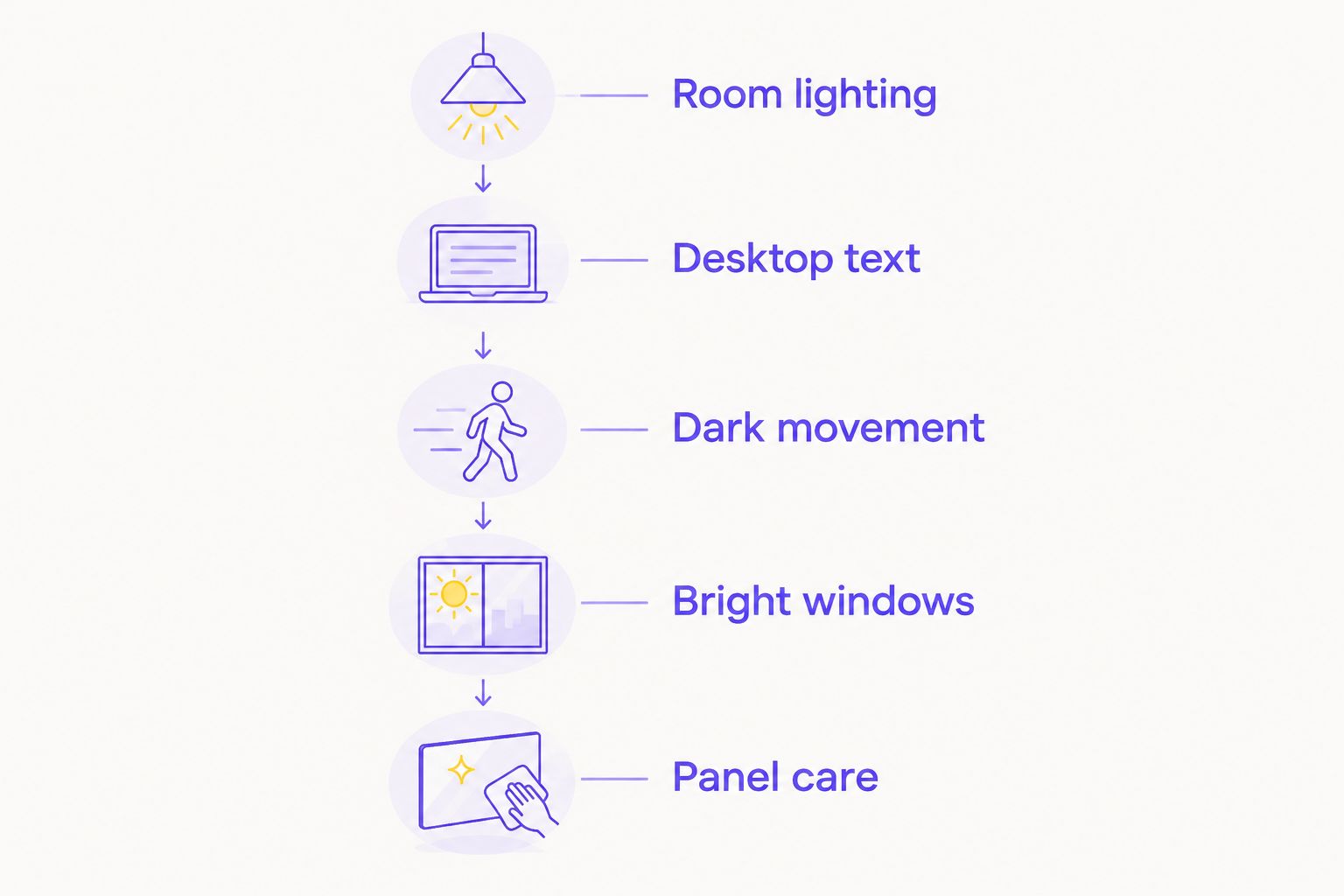
Use the same process for every shortlisted model. Compare at your normal viewing distance and avoid judging solely from saturated demonstration footage.
- Room lighting: inspect reflections with lights on and daylight entering the room.
- Desktop text: open your normal documents and applications at your preferred scaling.
- Dark movement: inspect moving objects in dark scenes, not just bright scenery.
- Bright windows: resize a white window and watch for brightness changes.
- Panel care: read the maintenance instructions and exact written coverage.
Ask for clarification when the written coverage is unclear. Look specifically for permanent image retention, exclusions and the required claim process. Do not assume that a longer general warranty automatically includes burn-in.
After purchase, follow the manufacturer's setup instructions. Enable the intended refresh rate, check variable-refresh support and use the recommended panel-protection settings. Leave maintenance routines to operate as directed rather than interrupting them by habit.
FAQ
Is an OLED monitor worth it for casual gaming?
An OLED monitor is worth considering for casual gaming if you care about dark-scene contrast and clear motion. Casual play alone does not make OLED necessary; a suitable IPS or VA monitor remains a valid choice.
Will an OLED monitor increase my FPS?
An OLED monitor does not increase the frames your PC renders. It changes how those frames appear through its refresh behaviour, pixel transitions and contrast.
Can gaming cause burn-in on an OLED monitor?
Gaming can contribute to OLED burn-in when fixed interface elements repeatedly occupy the same areas. Follow the exact monitor's protection and maintenance instructions; protection features do not guarantee immunity.
Is OLED better than IPS for office work and gaming?
OLED is not automatically better than IPS for a mixed office-and-gaming desk. OLED favours contrast and fast transitions, while IPS avoids OLED's organic pixel-wear mechanism and deserves consideration for static desktop workloads.
Does every OLED monitor have good HDR?
An OLED monitor's panel type does not establish its complete HDR performance. Check model-specific brightness, tone mapping, colour performance and behaviour across different scene sizes.
Should I choose 1440p or 4K for an OLED monitor?
Choose 1440p or 4K around your graphics performance, screen size and preferred detail level. A 3840 × 2160 image contains more pixels than 2560 × 1440, so compare game performance at your intended settings.
Does a monitor warranty automatically cover OLED burn-in?
A monitor warranty does not automatically establish burn-in coverage. Read the exact model's written terms and confirm permanent image-retention coverage before buying.
One last thing
OLED's fast pixel transitions do not make motion completely blur-free. Your eyes still track images held between screen updates. Refresh rate and frame delivery remain important even when transition trails are minimal.
For your 2026 upgrade, identify the weakness first. Choose OLED for black levels and fast transitions. Choose resolution for detail, refresh rate for more frequent updates, and LCD when its desktop trade-offs suit you better.