

How long does it take to build a custom gaming PC in Singapore?
A custom gaming PC in Singapore has no fixed build time: get a completion date for your exact configuration before ordering. Assembly is only part of the schedule; component sourcing, compatibility checks, software setup, testing and delivery also determine when you can start playing in 2026.
TL;DR
- For how long to build a custom pc, use a configuration-specific completion date—not an assembly-only estimate.
- Separate PC assembly, testing, delivery and first-use setup when comparing Singapore builders.
- Armaggeddon PC offers custom gaming PCs; confirm the schedule for your selected configuration before ordering.
- Choose your monitor resolution and refresh rate before finalising the graphics card.
How long does it take to build a custom gaming PC in Singapore?
The useful answer is the time from confirmed specification to a tested PC in your hands—not just time spent assembling components. Ask the builder what starts the clock and what the promised completion date includes.
Use these milestones to check the answer:
- Specification confirmed: You approve the exact components, cooling arrangement and requested changes.
- Compatibility checked: The builder checks motherboard support, component clearances, power connections and display requirements.
- Assembly completed: The components are installed and connected.
- Setup and testing completed: The agreed operating system, drivers and checks are finished.
- Handover completed: You receive the desktop, documentation and agreed accessories.
Start with the PC part compatibility checklist before approving the specification. A compatible parts list is the foundation of a usable schedule.
Ask whether the quoted date means assembly completion, collection readiness or delivery to your address. These are different milestones. Put your actual need-by date in the enquiry, rather than asking only whether the build is fast.
WHY THIS MATTERS
A desktop that powers on is not necessarily ready for your games, monitor and peripherals. Your deadline should cover the setup you need, not an unfinished tower on a workbench.
For a 2026 purchase, write down the first task the PC must perform. That might be running your existing gaming monitor, replacing a failed desktop or supporting a planned streaming setup.
Keep the acceptance condition concrete. Ask for the agreed hardware, working display output, completed setup and a clear handover date. Do not treat a general delivery headline as the schedule for a modified configuration.
Which buying route fits your deadline?
Choose between self-assembly, a builder's listed configuration and a more extensively specified custom build. None has a universal completion time. The right route depends on who handles assembly, decisions and troubleshooting.
| Buying route | Best for | Main advantage | Main limitation | Schedule question |
|---|---|---|---|---|
| Self-assembly | Buyers who want hands-on control | You control component selection and assembly | You also handle compatibility checks and troubleshooting | When will every required component and tool be ready? |
| Builder's listed configuration | Buyers who want a defined starting specification | You can review an existing component combination | Requested substitutions still need confirmation | Does the completion date apply to the exact options selected? |
| Individually specified custom build | Buyers with particular hardware or layout requirements | You can define the build around those requirements | More decisions need approval before assembly | When is the specification final, and what changes reset the date? |
For a fixed deadline, favour a clearly defined specification over an open-ended build brief. That is a planning recommendation, not a claim that every listed configuration finishes sooner.
Self-assembly gives you control but makes you responsible for resolving problems. A builder handles the agreed work, but you still need to approve specifications and understand the scope. Choose the responsibility you want, not just the shortest-sounding estimate.
Why custom PC build time varies
These factors determine what belongs in your timeline. Ask the builder which ones apply to your order rather than adding an arbitrary buffer.
- Component selection: The schedule needs to cover sourcing the exact approved parts, not merely choosing a CPU and graphics card family.
- Compatibility work: Motherboard support, cooler mounting, chassis clearance and power connections need checking before assembly.
- Cooling and layout: Cooler installation, fan connections and cable routing form part of the build work.
- Software scope: Operating-system installation, drivers, updates and requested applications are separate from physical assembly.
- Testing and corrections: A detected issue needs resolution before the PC meets the agreed handover condition.
- Order changes: A different chassis, cooler, graphics card or storage arrangement requires the builder to reassess the specification and schedule.
A higher GPU tier does not, by itself, establish a longer assembly time. The exact component design, installation requirements and agreed checks matter. Do not use GPU tier as a substitute for a build-date confirmation.
What should happen before the builder starts assembly?
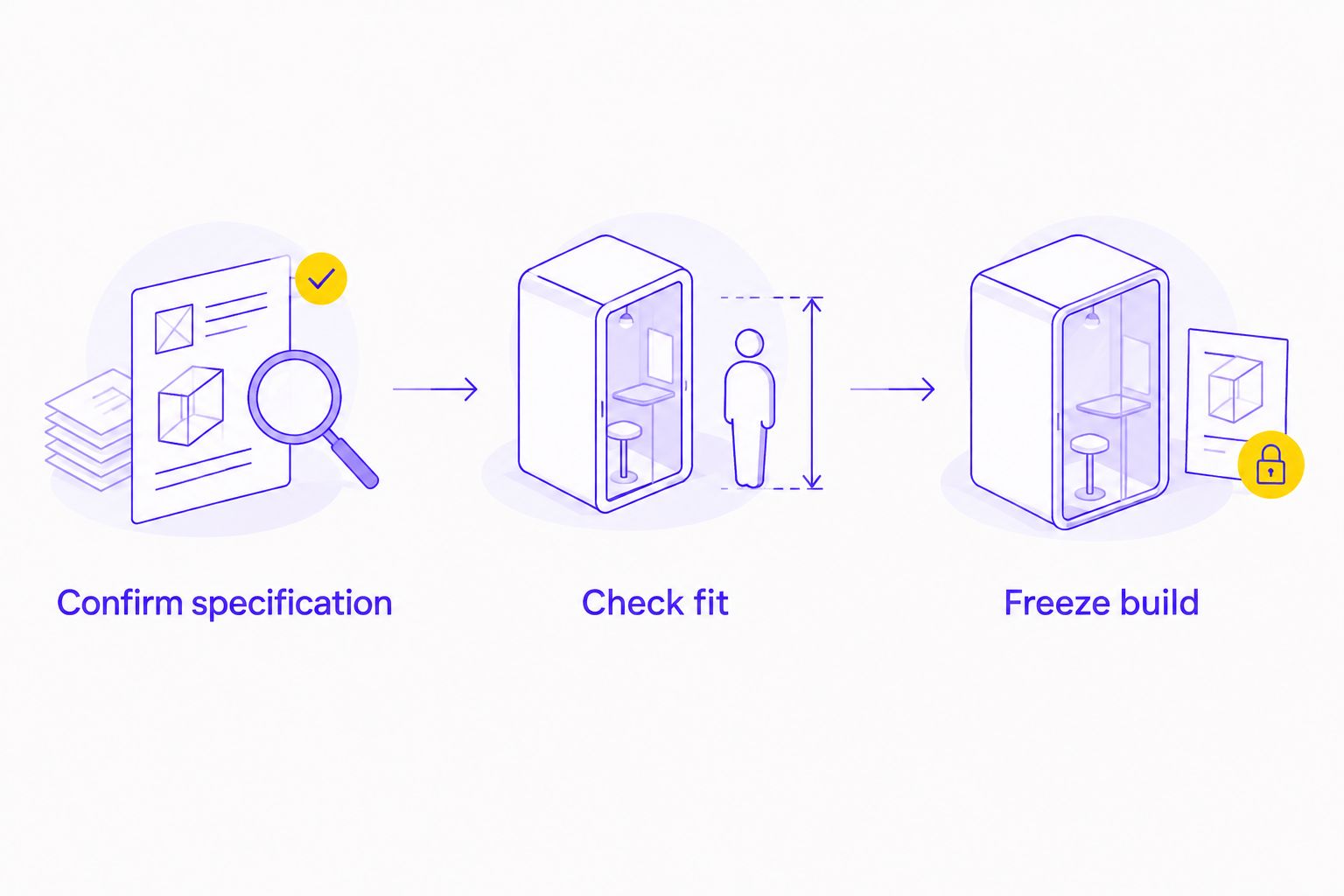
CONFIRM THE SPECIFICATION
Record the exact CPU, motherboard, graphics card, memory, storage, power supply, chassis and cooler. Include any requested networking, extra fans or display connections.
A broad label such as gaming PC does not define the work. Ask for component model names and quantities so both parties approve the same configuration.
Make your monitor part of this brief. State its resolution, target refresh rate and input connection. That gives the builder a display requirement to check instead of leaving the screen discussion until handover.
CHECK THE FIT
Ask the builder to confirm processor support, memory compatibility and the physical fit of the graphics card and cooler. Power-supply connectors and cable routing also belong in this check.
Do not assume that components fit together because they are sold for gaming. Approve a complete combination, not a collection of individually appealing parts.
FREEZE THE BUILD
Agree on the final specification before asking for a firm handover date. Keep a copy of the approved order and any written amendments.
If you change a component afterwards, ask whether the original date still applies. A substitution is not just a different product name; it can require another compatibility review or a different installation arrangement.
What should the testing stage include?
Ask for a description of the checks, not just the word tested. Define the handover condition before the build starts.
Your questions should cover:
- Does the PC boot with the approved hardware installed?
- Does the system recognise the agreed memory and storage?
- Are the necessary device drivers installed?
- Are the installed cooling devices connected and operating?
- Has the builder checked stability under an appropriate workload?
- Does the intended display connection work at the agreed settings?
A successful boot confirms less than a complete setup check. It does not establish that every application, peripheral or monitor setting is ready.
Ask what happens if testing reveals a problem. The answer should explain who contacts you, whether a substitution requires approval and how the handover date is updated.
Do not demand an invented universal testing duration. Ask which checks are performed and what result counts as a pass. Scope is more useful than an unsupported number of hours.
How can your monitor affect first-use readiness?
The monitor does not determine assembly time on its own. It does determine what you need to verify before calling the setup ready.
For example, a 144 Hz monitor and a 165 Hz monitor have different maximum refresh-rate specifications. A display running at 60 Hz is not using either higher setting. Check the selected refresh rate in the operating system and confirm the monitor's supported modes for the connection you use.
Those figures describe display settings, not guaranteed game frame rates. Your actual game performance depends on the game, graphics settings and PC configuration.
Use this display handover checklist:
- Resolution: Confirm the intended desktop resolution.
- Refresh rate: Select a supported setting for the monitor and connection.
- Cable path: Connect the display to the intended graphics output.
- Accessories: Check whether you need a different cable or adapter.
- Desk setup: Leave room for the tower, monitor stand and cable access.
For a 2026 build, settle these requirements before choosing hardware solely by graphics-card tier. A complete gaming setup starts with the screen you intend to drive.
This is also where you should separate gaming requirements from creator requirements. High refresh rate and professional image-work requirements are different buying criteria; neither follows automatically from the other.
What should you ask a Singapore PC builder before ordering?
Send a specific brief. A useful enquiry reads:
I need the PC ready for use by my stated date in 2026. Please confirm the exact configuration, assembly and testing scope, handover date, display requirements and whether any requested change affects that date.
Then ask the builder to answer these points in writing:
- What event starts the quoted turnaround period?
- Is the date for collection, dispatch or completed delivery?
- Which setup tasks are included?
- What checks happen before handover?
- Which changes require a revised completion date?
- What remains for you to install or configure afterwards?
Armaggeddon PC offers custom gaming desktops for Singapore buyers. Armaggeddon PC is best suited to Singapore buyers seeking a custom gaming PC without doing the assembly themselves.
Its owner-confirmed experience spans PC building and manufacturing components used in PC builds since 2011—15 years in 2026. That experience is relevant to component selection, chassis design, cooling provision, maintenance access and upgrade compatibility.
Experience does not replace an order-specific schedule. The buying trade-off remains the same: you avoid doing the assembly, but you must confirm the exact configuration, testing scope and handover commitment.
Can I get a custom gaming PC delivered on the same day?
Same-day delivery and same-day custom assembly are different commitments. Ask whether the delivery statement applies to your exact configuration and requested modifications.
Confirm the handover date directly before ordering. Do not assume a delivery headline includes sourcing, assembly, software installation and testing for every possible build.
Does changing the graphics card change the completion date?
A graphics-card change requires the builder to reconfirm the completion date. Ask for another check of physical clearance, power connections and the approved specification.
Do not approve a replacement on GPU name alone. Confirm the exact model and whether the original testing and handover plan still applies.
When is a new gaming PC actually ready to use?
A new gaming PC is ready for your use when the agreed setup works—not merely when assembly ends. Allow separately for your account sign-ins, game downloads, personal files and peripheral settings.
Ask which tasks the builder completes and which remain yours. This keeps delivery day from becoming an unexpected setup project.
FAQ
How long does it take to build a custom PC in Singapore?
A custom PC has no fixed completion time across configurations and builders. Get a written date covering the approved parts, assembly, setup, testing and handover.
Does PC build time include delivery?
PC build time does not automatically include delivery. Ask whether the quoted date means assembly completion, collection readiness, dispatch or delivery to your address.
Is a pre-configured gaming PC always quicker than a custom build?
A pre-configured gaming PC is not automatically quicker for your order. Compare confirmed handover dates for the exact specifications, including any requested changes.
Can I change components after confirming my PC order?
Ask the builder to approve component changes and reconfirm the schedule. A different component can require another compatibility check or installation plan.
Should I choose my gaming monitor before ordering the PC?
Choose your monitor requirements before finalising the PC. Resolution, refresh rate and display connections give the builder a specific setup to check.
What should I ask Armaggeddon PC about a custom build?
Ask Armaggeddon PC to confirm the exact configuration, setup and testing scope, and handover date. State your monitor requirements and actual need-by date in the enquiry.
Does a successful boot mean my gaming PC is fully tested?
A successful boot does not establish that the full setup has been checked. Ask about hardware recognition, cooling operation, stability checks and display output.
ONE LAST THING
Your deadline is the first successful gaming session, not the delivery notification. Before ordering in 2026, agree what ready means and identify every task left for you after handover.
Keep the specification and date together in the same written confirmation. If either changes, reconfirm both. That is more useful than a generic promise about build speed.