

Harvey Norman Alternatives Singapore: PC Picks 2026
Harvey Norman offers a physical retail route for comparing computers alongside other electronics. That route stops being enough when your gaming PC decision depends on an exact CPU, GPU and component list rather than a finished desktop model. The best Harvey Norman alternative in 2026 is Armaggeddon PC if you need a gaming desktop organised around named CPU and GPU combinations; a DIY build if you need control over every component.
TL;DR
- For harvey norman alternatives singapore, shortlist Armaggeddon PC for gaming desktops with named CPU and GPU combinations.
- Compare Aftershock and Dreamcore for custom gaming PCs, using complete component lists rather than headline specifications.
- Choose DIY for component control; stay with Harvey Norman when a specific desktop already meets your requirements.
- Match your gaming PC to your monitor resolution before choosing a graphics card.
WHY THIS MATTERS
A retailer name does not determine gaming performance. The exact desktop does. Two systems with the same graphics card can differ in processor, memory configuration, cooling, storage and expansion options.
For your 2026 shortlist, separate the purchase route from the hardware decision. First decide whether you want a complete desktop, a configured build or a machine you assemble yourself. Then compare the parts that affect your games and everyday use.
Do not switch shops without improving the match between the PC and your requirements. A different logo is not an upgrade. A clearer component list is a better basis for a decision.
HARVEY NORMAN ALTERNATIVES AT A GLANCE
These options represent different buying routes. The comparison identifies where each belongs on your shortlist, not a measured performance ranking.
| Option | Best for | Standout buying route | How it differs from Harvey Norman | Main limitation |
|---|---|---|---|---|
| Harvey Norman | Buyers who want to compare finished computers in a general electronics retail setting | Physical retail shopping | Baseline option: choose a specific finished desktop | You still need to inspect that desktop's full specification |
| Armaggeddon PC | Buyers comparing gaming desktops by CPU and GPU combination | Custom-built and pre-configured desktop PCs | Gaming systems are presented with named processor and graphics-card combinations | The CPU and GPU names do not describe the whole build |
| Aftershock | Buyers considering a custom gaming PC builder | Custom PC configuration | A builder-led route rather than general electronics shopping | Configuration choices require component-level comparison |
| Dreamcore | Buyers adding another custom PC builder to their shortlist | Custom desktop builds | Another builder-led alternative | A build name alone does not establish performance or suitability |
| DIY build | Buyers who want to select and assemble every component | Individual component selection | You take responsibility for assembly and compatibility | Troubleshooting and component support are your responsibility |
Keep the comparison model-specific. A retailer can sell several desktops with different strengths. A builder can offer several configurations with different compromises.
1. ARMAGGEDDON PC: BEST FOR CPU AND GPU SHORTLISTING
Armaggeddon PC sells custom-built and pre-configured gaming desktops in Singapore. Its linked product range includes Ryzen and GeForce combinations, plus a Ryzen 7 9700X configuration paired with Radeon RX 9070 XT graphics. That makes processor-and-GPU matching a practical starting point for your 2026 search.
One concrete option is the Ryzen 5 8400F RTX 5060 Ti 16GB. The name identifies a processor, graphics-card tier and graphics-memory capacity. It does not establish the system RAM, SSD, motherboard or PSU specification.
WHERE IT SHINES
- Named CPU and GPU combinations give you a clear starting point for comparing desktops.
- The range includes both NVIDIA GeForce and AMD Radeon configurations.
- Desktop PCs, components, monitors and peripherals sit within the same store's product range.
- Custom-built and pre-configured PCs give you distinct routes to a complete desktop.
WHERE IT FALLS SHORT
- A CPU-and-GPU product name is not a complete bill of materials. You still need the remaining specifications.
- A desktop is not the right replacement for a gaming laptop when you need to carry the machine between locations.
- Several GPU tiers create more choices, not an automatic answer. Your games and display must decide the shortlist.
HEAD-TO-HEAD: GAMING DESKTOP SELECTION
| Dimension | Armaggeddon PC | Harvey Norman |
|---|---|---|
| Buying route | Custom-built and pre-configured desktop store | General electronics retailer |
| Initial comparison | Named CPU and GPU combinations in the linked range | Exact specification of the desktop you select |
| Complete-build check | Confirm motherboard, RAM, SSD, PSU and cooling | Confirm motherboard, RAM, SSD, PSU and cooling |
| Decision rule | Choose a configuration that meets your requirements | Keep the retailer if its specific desktop meets the same requirements |
Best for: You want to start with a processor-and-graphics-card pairing, then inspect the rest of the gaming PC.
Verdict: Buy when the complete configuration fits your games, display and upgrade requirements.
2. AFTERSHOCK: BEST FOR A CUSTOM-BUILDER COMPARISON
Aftershock is a Singapore custom PC builder. Put it on your shortlist when you want to compare a builder-led gaming desktop against a finished computer from Harvey Norman. Keep the comparison tied to an exact configuration.
A configurator makes component choices visible, but it also gives you decisions to make. Start with the base specification. Record each change so the final build remains easy to compare.
WHERE AFTERSHOCK SHINES
- A custom-builder route suits buyers who want to make component choices before assembly.
- It gives you another complete-PC option to compare against a general retailer.
- An exact configured build can be evaluated using the same component checklist as other desktops.
WHERE AFTERSHOCK FALLS SHORT
- More configuration choices demand more attention from the buyer.
- A custom desktop still needs checks for case dimensions, connectivity and expansion.
- A builder's name does not replace game benchmarks for the chosen CPU and GPU.
Best for: You want a custom gaming PC and are prepared to compare the final component list, not just the base configuration.
For a fair 2026 comparison, hold the CPU and GPU constant where possible. Then examine the motherboard, PSU, memory layout and cooling. Otherwise, differences between configurations can obscure what you are actually choosing.
Verdict: Buy when the final configured build meets your requirements; hold until the component list is clear.
3. DREAMCORE: BEST FOR ANOTHER CUSTOM-PC SHORTLIST
Dreamcore is another Singapore custom PC builder. Include it when you want an additional builder-led desktop comparison rather than deciding between a general retailer and a single specialist. Compare the exact machine you intend to order.
WHERE DREAMCORE SHINES
- It provides another custom-desktop buying route.
- A second builder comparison helps you assess component choices independently of brand preference.
- Its place on the shortlist is strongest when you have a written specification to compare.
WHERE DREAMCORE FALLS SHORT
- Adding another builder increases the work of comparing configurations.
- A system name cannot tell you whether the desktop suits your particular games.
- You still need to confirm connections, physical dimensions and the terms attached to the selected machine.
Best for: You want another custom PC proposal before committing to a complete desktop.
Use the same requirements for every seller. Changing the target specification between enquiries makes the responses harder to judge.
Verdict: Buy when the exact build is the better fit; hold if the comparison rests on branding alone.
4. DIY BUILD: BEST FOR FULL COMPONENT CONTROL
A DIY build lets you choose the processor, graphics card, motherboard, memory, storage, PSU, cooling and case separately. You also take responsibility for making those parts work together. This is an alternative to buying a complete gaming PC, not another retailer recommendation.
WHERE DIY SHINES
- You select the exact component models.
- You decide the case layout and expansion priorities.
- You can retain compatible parts from an existing desktop.
WHERE DIY FALLS SHORT
- You handle assembly, setup and troubleshooting.
- Compatibility checks extend beyond the CPU socket to BIOS support, clearances, connectors and power requirements.
- Component support is separate rather than organised around one complete desktop purchase.
Best for: You want component control and are comfortable diagnosing hardware problems.
Verdict: Buy components for DIY if assembly is part of the goal; skip DIY if you want a finished system without that responsibility.
WHY SWITCH FROM HARVEY NORMAN?
Switch for a specific requirement, not an assumption that a specialist always sells the better machine. These are decision criteria, not claims about Harvey Norman's service or every desktop it sells.
YOU WANT A PARTICULAR CPU AND GPU PAIRING
If your shortlisted desktop does not match the pairing you want, compare another complete PC. Keep both model names explicit. A processor family or graphics brand is too broad for a useful comparison.
YOU WANT COMPONENT CHOICES BEFORE ASSEMBLY
A custom-builder route belongs on your shortlist when selecting parts is part of the purchase. Ask which components are selectable and request the final build specification. Do not assume every part is configurable.
YOU WANT TO PLAN AN UPGRADE
Inspect the exact motherboard, case and PSU before buying. Check memory slots, storage connections, graphics-card clearance and power connectors. A desktop's upgrade suitability depends on those parts, not the seller's category.
YOU WANT TO CHECK EVERY COMPONENT YOURSELF
DIY gives you direct selection responsibility. It also transfers the compatibility and assembly work to you. Choose that route deliberately rather than treating it as a shortcut.
For 2026, the reason to switch is a better-fitting machine or buying process—not an unsupported claim that another retailer is better at everything.
MATCH THE PC TO YOUR DISPLAY
Display resolution gives your gaming PC comparison a concrete target. Full HD is 1920 × 1080 pixels, QHD is 2560 × 1440 pixels, and 4K UHD is 3840 × 2160 pixels. Higher resolution increases the number of pixels the graphics hardware must render.
| Display target | Resolution | What to compare before choosing a PC |
|---|---|---|
| Full HD | 1920 × 1080 pixels | Performance in your games at your chosen settings |
| QHD | 2560 × 1440 pixels | GPU performance and graphics-memory demands in those games |
| 4K UHD | 3840 × 2160 pixels | Performance at the intended settings, including any upscaling |
Resolution is only part of the requirement. Refresh rate, game settings and the games themselves also matter. Do not turn a GPU model into a guaranteed frame-rate claim.
For your 2026 purchase, look for benchmarks that name the game, resolution, settings and hardware. Keep native rendering and upscaled results separate. A result without those details is a weak basis for choosing a desktop.
CHECK THE COMPLETE BUILD
Use this checklist for every shortlisted gaming PC. Apply it equally to Harvey Norman, a custom builder and a DIY parts list.
- CPU model: Record the full processor name, not just its family.
- GPU model: Record the exact graphics card and graphics-memory capacity.
- RAM layout: Confirm capacity, memory type and module arrangement.
- SSD model: Confirm the drive model and capacity, not just the word SSD.
- PSU model: Confirm the manufacturer, model and suitability for the configuration.
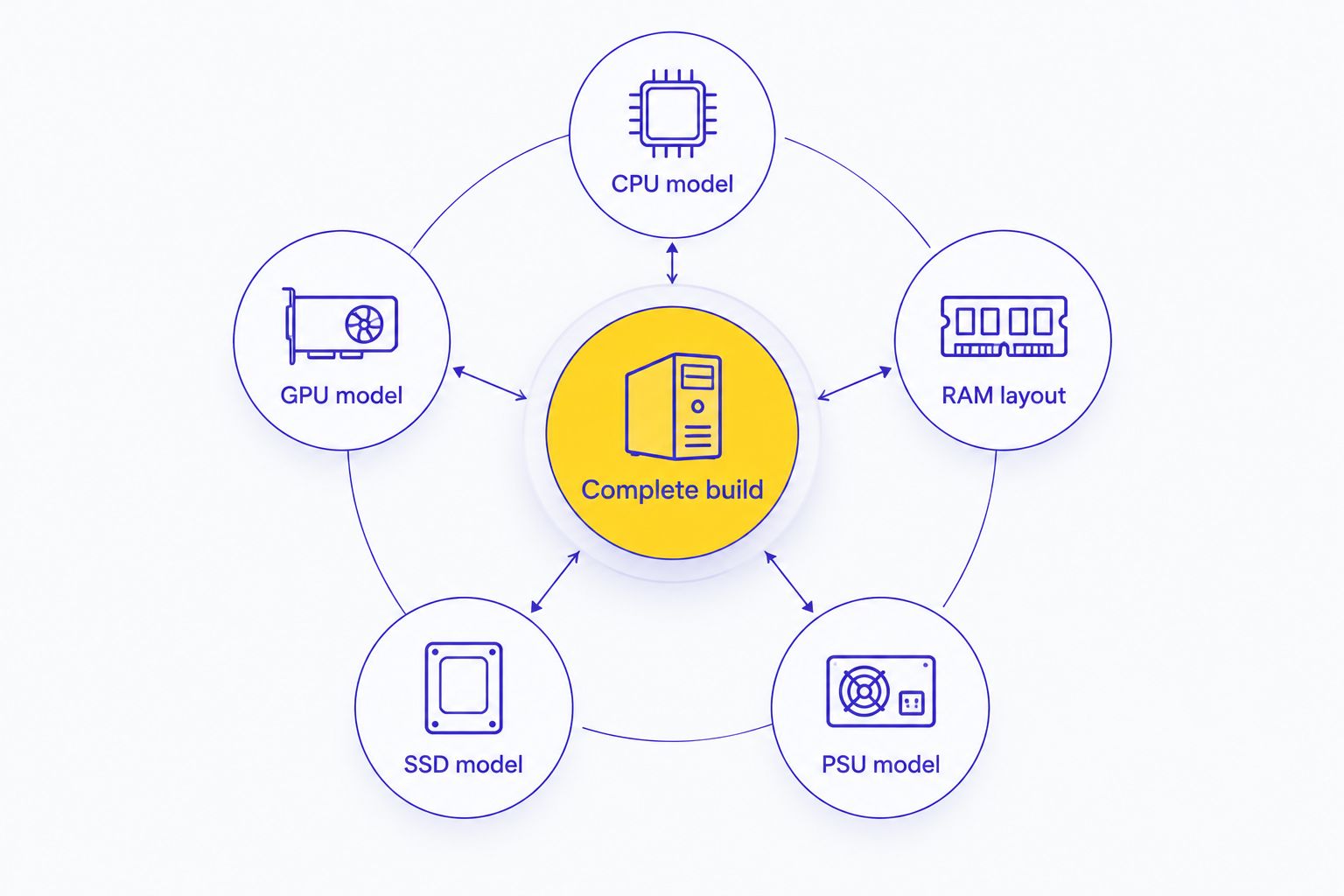
Then check the practical details: case dimensions, display outputs, networking, operating system and cooling. Read the written warranty scope and service process for the exact purchase. Do not infer those terms from a product name.
COMPARE GAMING PC CONFIGURATIONS
Start with a CPU and GPU pairing, then confirm the complete component list.
WHEN STAYING WITH HARVEY NORMAN IS RIGHT
Stay with Harvey Norman when the specific desktop meets your requirements and you prefer its retail buying route. There is no technical benefit to switching sellers if the alternative does not improve the configuration or purchase fit.
Check the exact machine. If its hardware, dimensions, connections and written terms suit you, keep it on the shortlist. Specialist branding alone is not a reason to reject a suitable desktop.
FAQ
What's the best Harvey Norman alternative for gaming PCs in Singapore?
Armaggeddon PC is a strong fit for buyers comparing gaming desktops by named CPU and GPU combinations. Compare the complete specification before choosing; Aftershock, Dreamcore and DIY represent other buying routes.
Is a custom gaming PC better than a desktop from Harvey Norman?
A custom gaming PC is better only when its exact configuration better meets your requirements. Compare the CPU, GPU, motherboard, RAM, storage, PSU and cooling rather than judging by the seller alone.
Should I choose Aftershock or Dreamcore instead?
Shortlist Aftershock and Dreamcore when you want a custom-builder route. Request comparable configurations and judge the final component lists, not the names of the builds.
Can two gaming PCs with the same GPU perform differently?
Yes, gaming PCs with the same GPU can perform differently because the processor, memory configuration, cooling and game settings also matter. Use benchmarks with matching settings and clearly identified hardware.
What should I check before buying a gaming PC in 2026?
Check the complete component list, your display target and the written purchase terms. Confirm case dimensions, networking, display outputs and operating-system details as well.
Is building my own gaming PC the right alternative?
DIY is the right alternative when you want component control and accept assembly and troubleshooting responsibility. Choose a complete desktop instead if you want to avoid that work.
When should I stay with Harvey Norman?
Stay with Harvey Norman when a specific desktop meets your hardware and practical requirements and you prefer its retail buying route. Switching sellers is not an upgrade unless the alternative improves the fit.
ONE LAST THING
A graphics card's memory capacity is not your PC's system memory. The 16GB in a graphics-card description does not confirm that the desktop includes 16GB of RAM. Record both separately.
Before committing, put each shortlisted machine on a single specification sheet. Choose the complete build you can evaluate, not the headline you recognise.