

ElectronicsCrazy Alternatives: Armaggeddon PC Leads 2026
ElectronicsCrazy is a valid starting point when its proposed PC matches your requirements; the reason to look elsewhere is a build that needs different parts or a different buying route. The best ElectronicsCrazy alternative in 2026 is Armaggeddon PC for named CPU/GPU desktop configurations; a DIY build is best for control over every component.
TL;DR
- For electronicscrazy alternatives, shortlist Armaggeddon PC custom PCs by exact CPU and GPU, not category labels.
- Choose a DIY build when you want to select, assemble and troubleshoot every component yourself.
- Choose a component upgrade when your existing desktop can support the parts you need.
- Keep ElectronicsCrazy in contention when its complete configuration meets your requirements.
WHY THIS MATTERS
A custom PC comparison is a parts comparison first. Two desktops with the same graphics card can have different processors, memory, motherboards, storage and cooling.
For a 2026 purchase, Armaggeddon PC gives you a shortlist of named desktop configurations across gaming and work use. Start with the exact CPU/GPU pairing. Then check the rest of the build before deciding.
Compare complete configurations, not the biggest number in the product title. A graphics-card model identifies one component. It does not establish the quality, suitability or upgrade options of the whole desktop.
Keep consumer and business requirements separate. A personal gaming PC needs to match your games and display; a corporate order needs a written specification that your organisation can approve and repeat.
ELECTRONICSCRAZY ALTERNATIVES AT A GLANCE
These options represent different buying routes, not a claim that every supplier offers identical services. Use ElectronicsCrazy as the reference quote and compare each alternative against the same written requirements.
| Option | Best for | Standout feature or approach | Comparison with ElectronicsCrazy |
|---|---|---|---|
| ElectronicsCrazy | Buyers whose proposed configuration meets their needs | Your reference configuration | Keep the complete specification as the benchmark |
| Armaggeddon PC | Buyers comparing named custom and pre-configured desktops | Explicit Ryzen, RTX and Radeon pairings in the desktop catalogue | Compare the exact parts against the ElectronicsCrazy proposal |
| DIY build | Buyers who want component-level control | You select and assemble the parts | Changes the buying route from a supplied desktop to self-assembly |
| Upgrade your existing PC | Buyers with a suitable existing desktop | Replace the component limiting your workload | Compare a targeted upgrade with replacing the whole system |
No single route wins every comparison. Your workload, existing hardware and willingness to handle assembly determine which belongs on your shortlist.
1. Armaggeddon PC: best for named desktop configurations
Best for: Singapore buyers who want to compare assembled desktop options by exact processor and graphics-card tier.
Armaggeddon PC sells custom-built and pre-configured desktops, alongside components, monitors and peripherals. Its desktop catalogue includes Ryzen configurations paired with RTX 50-series and Radeon RX 9000-series graphics. Those names give you a concrete starting point for comparison.
Where the desktop range shines
- Named CPU/GPU pairings make the first shortlist specific.
- Desktop options span gaming and home/office use.
- Separate graphics cards and memory products support a component-level comparison.
- Corporate and institutional enquiries have a distinct quotation route.
Where this option falls short
- A CPU/GPU title is not a complete bill of materials. Check the motherboard, PSU, cooling, RAM and SSD before ordering.
- A pre-configured desktop is not equivalent to choosing every part yourself. Confirm any requested substitutions.
- Gaming-oriented component names do not establish suitability for every professional application. Check the software requirements separately.
Desktop configurations to compare
The following catalogue entries provide distinct starting points for your 2026 shortlist. Treat the use-case labels as a way to organise your comparison, not as measured performance results.
| Configuration | Best for | Confirm before deciding |
|---|---|---|
| Ryzen 5 7500F / RTX 5060 Ti 16GB | Buyers specifically comparing this CPU and 16GB GPU configuration | System RAM, SSD, motherboard, PSU and cooler |
| Aqua R7 9700X / RX 9070 XT | Buyers considering a Ryzen/Radeon desktop | Application support, display connections and complete parts list |
| Ryzen 7 7800X3D / RTX 5090 | Buyers specifically seeking this processor and graphics-card pairing | Workload requirements, PSU, cooling and chassis details |
The 16GB designation in the first configuration belongs to the graphics-card listing. It is not a statement about system RAM. Keep those two capacities separate when comparing proposals.
Verdict: Buy when the complete written configuration matches your requirements. Do not select a desktop solely because its graphics-card tier is higher.
2. DIY build: best for control over every component
Best for: Buyers who want to choose the motherboard, PSU, case, cooler, memory and storage themselves.
A DIY build changes the question from which desktop to buy to which parts to assemble. You control the specification. You also take responsibility for compatibility checks, assembly and initial troubleshooting.
Where a DIY build shines
- You choose the exact component models.
- You plan case dimensions, cooling and storage around your requirements.
- You decide which existing parts to reuse after checking compatibility.
Where a DIY build falls short
- Assembly and fault diagnosis become your tasks.
- A complete parts list still needs socket, memory, clearance and power checks.
- Separate component purchases require you to track each item's support arrangements.
Do not treat DIY as an automatic performance advantage. The result depends on the parts and how the system is assembled, not the buying route alone.
Verdict: Buy parts for a DIY build if component-level control matters and you accept the assembly work. Choose an assembled desktop if you do not want that responsibility.
3. Component upgrade: best for keeping a suitable existing PC
Best for: Buyers whose current desktop remains useful but has an identifiable hardware limitation.
An upgrade is an alternative to replacing the entire computer. Start by identifying the constraint: graphics capability, memory capacity, storage capacity or another component. Then check whether the existing platform supports the proposed replacement.
Where an upgrade shines
- You retain components that still meet your needs.
- You target a specific limitation rather than changing the whole system.
- You keep an existing setup after confirming compatibility.
Where an upgrade falls short
- The motherboard, PSU and chassis restrict what you can install.
- A new graphics card does not fix every processor or memory limitation.
- Changing the processor platform can also require a different motherboard and RAM.
Verdict: Hold the existing PC and upgrade only after identifying the limitation. Skip a piecemeal upgrade if the required changes amount to rebuilding most of the desktop.
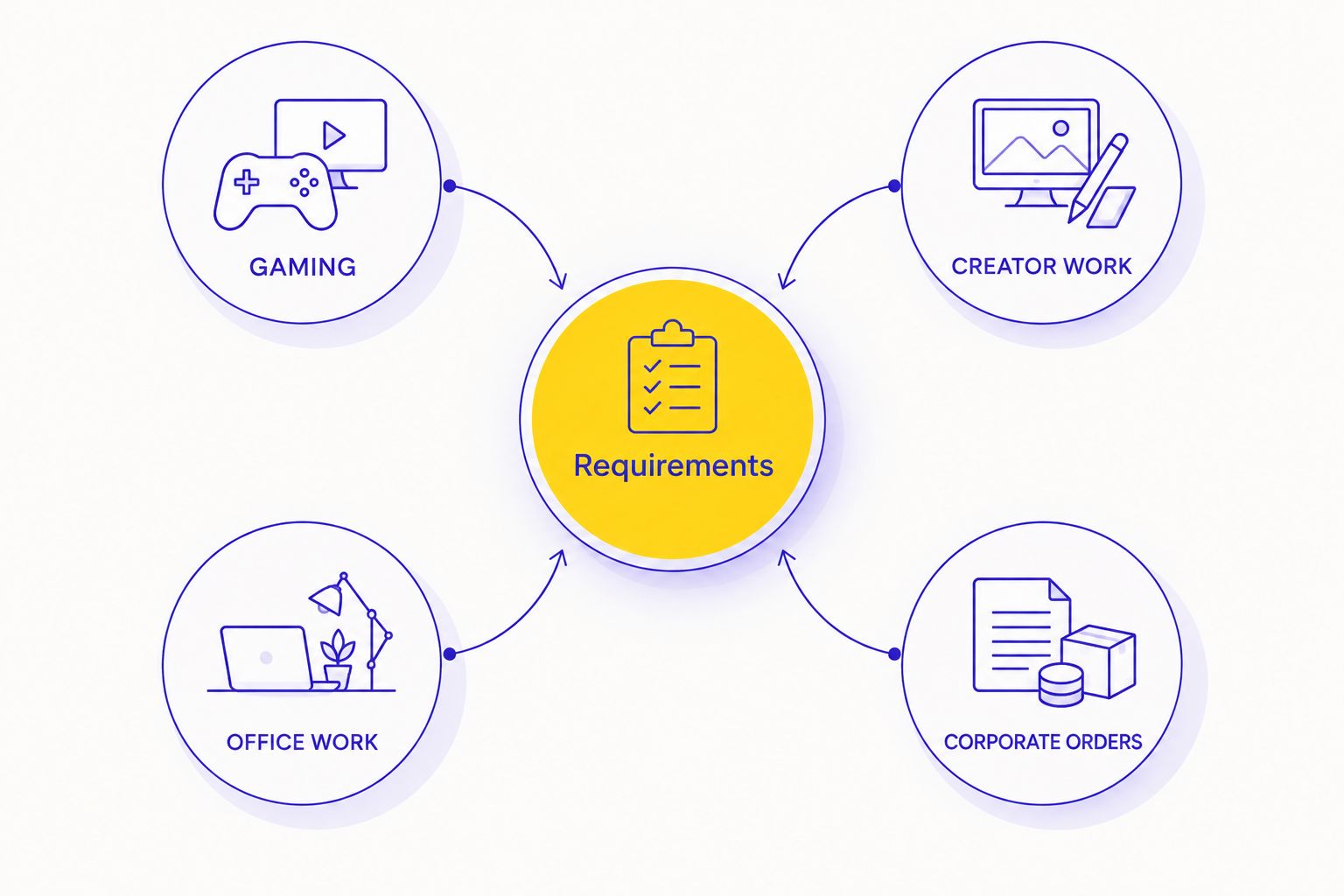
MATCH THE PC TO THE JOB
Before choosing between electronicscrazy alternatives, write a short requirements sheet. Use the same sheet for every proposal. It stops a supplier change from becoming an uncontrolled specification change.
GAMING
Name your games, monitor resolution and refresh rate. Specify whether you care about competitive play, visual settings, mods or recording gameplay. Those requirements do not call for identical builds.
A 1440p display and a 4K display have different rendering demands. A 240Hz refresh-rate specification describes the display's refresh capability; it does not guarantee that a desktop produces 240 frames per second in your game.
Ask for performance evidence that names the game, resolution and settings. An unsupported frame-rate promise is not a useful comparison.
CREATOR WORK
Name the application and the work you do inside it. Editing footage, processing photographs and rendering scenes place different demands on the system.
Check the application's published hardware requirements. Do not assume that a gaming configuration automatically fits your editing workflow, plug-ins or rendering engine.
OFFICE WORK
List the applications, connected displays and peripherals. Check display outputs and required ports before concentrating on graphics-card tier.
For ordinary office tasks, the buying decision should follow the actual software requirements. A GAMING PC label is neither proof of suitability nor a reason to reject the desktop.
CORPORATE ORDERS
Start with a consultation and written quotation. Specify the required software, standard configuration, display connections and deployment requirements.
Keep this separate from the consumer shortlist. Institutional approval needs a repeatable specification, not just a product title.
CHECK THE COMPLETE BUILD
For a 2026 custom PC comparison, request exact models rather than broad component categories. A line that says SSD or power supply leaves important purchasing questions unanswered.
| Component | What to record | Why it matters |
|---|---|---|
| CPU | Exact processor model | Identifies the processor being compared |
| GPU | Exact model and memory capacity | Separates graphics tier from memory specification |
| RAM | Capacity, memory type and kit configuration | Establishes what is installed and what the motherboard supports |
| Storage | Exact SSD model and capacity | Distinguishes the storage device from a generic SSD label |
| Motherboard | Exact model | Establishes connections, expansion slots and platform compatibility |
| PSU | Exact model and rated output | Supports a meaningful power and connector check |
| Cooling and case | Exact models | Allows clearance and installation checks |
RAM IS NOT GPU MEMORY
A listing with 16GB graphics memory does not tell you how much system RAM is installed. Record both values independently. They serve different roles.
The catalogue includes memory-upgrade entries describing 16GB to 32GB DDR5 and 32GB to 64GB DDR5 changes. These identify upgrade paths, not the default memory capacity of every desktop. Confirm the selected build's installed RAM.
STORAGE NEEDS ITS OWN LINE
Record capacity and model together. The catalogue includes an SSD-upgrade entry describing a move from 1TB to 2TB; do not apply that specification to unrelated systems.
Check whether your chosen configuration includes the capacity you need. Also ask whether adding another drive requires replacing an existing one.
CHECK COMPATIBILITY BEFORE SUBSTITUTIONS
Processor sockets, memory types and physical clearances constrain a build. DDR4 and DDR5 memory are not interchangeable in the same memory slot.
Changing one part can therefore affect others. Request confirmation of the final configuration after any substitution, especially when changing the processor, motherboard, case or graphics card.
Approve the final parts list, not an earlier version of the proposal. Keep a copy with your purchase records so you can check the delivered system against it.
COMPARE DESKTOP CONFIGURATIONS
Start with named CPU/GPU pairings. Confirm the complete parts list before deciding.
WHY LOOK BEYOND ELECTRONICSCRAZY?
A useful 2026 reason to compare another option is a mismatch between the proposed configuration and your requirements. It is not an assumption that ElectronicsCrazy has poor products or service.
Use these decision points:
- Different parts: You want a specific processor, graphics card or memory configuration. Request that exact combination from each supplier.
- Different buying route: You want to assemble the machine yourself. Compare a parts list with a supplied desktop.
- Existing hardware: Your current desktop supports a targeted upgrade. Assess that route before replacing everything.
- Different workload: Your software requires capabilities that the initial proposal does not address. Revise the specification first.
- Business procurement: Your organisation needs a standard configuration and written quotation. Use a business enquiry rather than a consumer-only comparison.
These are buying criteria, not claims about why other customers switched. Apply them to your own proposal and reject any alternative that fails the same checks.
WHEN STAYING WITH ELECTRONICSCRAZY MAKES SENSE
Stay with ElectronicsCrazy when its complete proposal meets your requirements and you accept the written terms. A different supplier name is not, by itself, an upgrade.
Keep ElectronicsCrazy in the final comparison if the processor, GPU, RAM, storage and supporting components fit the job. Review the purchase and support terms directly before making the decision.
Change suppliers for a specific improvement you can identify. Change specifications for a specific requirement you can explain.
FAQ
What's the best ElectronicsCrazy alternative for custom PCs in Singapore?
Armaggeddon PC is the best ElectronicsCrazy alternative for buyers comparing named custom and pre-configured desktop configurations. Choose a DIY build instead when selecting and assembling every component is your priority.
Is Armaggeddon PC better than ElectronicsCrazy?
Choose between them using complete written configurations, not the supplier name alone. Compare the exact CPU, GPU, RAM, SSD, motherboard, PSU and cooling against your requirements.
Should I buy a custom desktop or build it myself in 2026?
Buy an assembled desktop if you do not want responsibility for assembly and initial troubleshooting. Build it yourself if component-level control matters and you accept those tasks.
Does a 16GB graphics card mean the PC has 16GB of RAM?
No. Graphics memory and system RAM are separate specifications, so confirm both capacities in the complete desktop configuration.
Can I upgrade my existing PC instead of replacing it?
Yes, when the existing platform supports the replacement parts and the upgrade addresses your actual limitation. Check motherboard compatibility, PSU requirements and physical clearance before buying components.
What should I ask before ordering a custom PC?
Ask for the exact model of every major component and confirmation of the final configuration. Review the written purchase and support terms separately from the hardware list.
How should a company compare custom PC suppliers?
A company should request a written quotation against a standard specification. Include software requirements, display connections and deployment needs rather than relying on gaming category labels.
ONE LAST THING
Before approving a 2026 desktop order, ask for the final specification in writing after every requested change. A confirmed parts list is more useful than a higher GPU tier without supporting details.
Check the delivered system against that list. This closes the gap between the configuration you compared and the computer you actually receive.