

Best gaming headset under 100 SGD: 2026 verdict
Best verified wireless option: SonicGear Aura Clear 5. Best for competitive voice chat: a wired headset with a boom mic. Best for a fixed PC desk: a USB wired headset. If you want the best gaming headset under 100 SGD in Singapore in 2026, check the live SGD listing before buying: the named wireless pick has a gaming mode, but the supplied product details do not establish it as a dedicated gaming headset.
TL;DR
- For the best gaming headset under 100 SGD, SonicGear Aura Clear 5 is the verified wireless option, not a confirmed dedicated headset.
- Choose a wired boom-mic headset when clear team chat matters more than wireless convenience.
- Choose USB wired for a fixed PC desk; check console compatibility before ordering.
- Confirm the live SGD total, microphone design and connection type for any 2026 shortlist.
Why this matters
A headphone listing with a gaming mode does not answer every headset question. You still need to know how its microphone works for your calls, how it connects to your gaming device and whether it remains within your limit at checkout. For a broader category view, see the gaming headset guide for Singapore.
In 2026, Armaggeddon PC's named option for this shortlist is SonicGear Aura Clear 5, a wireless headphone model listed with gaming mode and 5-mic ENC. Its stated features make it relevant to gaming. They do not establish a boom mic, console support or measured gaming latency. The other recommendations below are connection types, not verified retail models; use them to decide what specification to look for.
What makes the best gaming headset under 100 SGD?
- MICROPHONE DESIGN: If you regularly use team chat, check whether the product has a boom mic or built-in microphones. A mic count alone does not tell you how teammates will hear you.
- CONNECTION TYPE: Identify the exact connection your PC, laptop or console accepts. A 3.5 mm plug, USB connection and Bluetooth pairing are not interchangeable.
- DEVICE COMPATIBILITY: Confirm both audio output and microphone input on every device you intend to use. Do not infer console support from a PC gaming label.
- FIT: Check the headband, ear-cup shape and return terms on the specific listing. Specs cannot tell you whether a headset will stay comfortable on your head.
- LIVE SGD TOTAL: Apply your limit to the amount shown at checkout. This guide does not treat an old listing or a promotional label as a standing price.
- GAME-CHAT PRIORITY: Decide whether you need convenient wireless listening, a microphone positioned near your mouth or a dedicated desk connection. That decision sets the shortlist before driver claims do.
These criteria separate a gaming-capable pair of headphones from a headset chosen chiefly for voice chat. In 2026, start with the device and microphone requirement; leave sound-format extras until you have confirmed both.
A useful comparison has three lanes: wireless listening, wired voice chat and USB desk use. They solve different problems. No unnamed wired model is presented here as a verified purchase within the SGD limit.
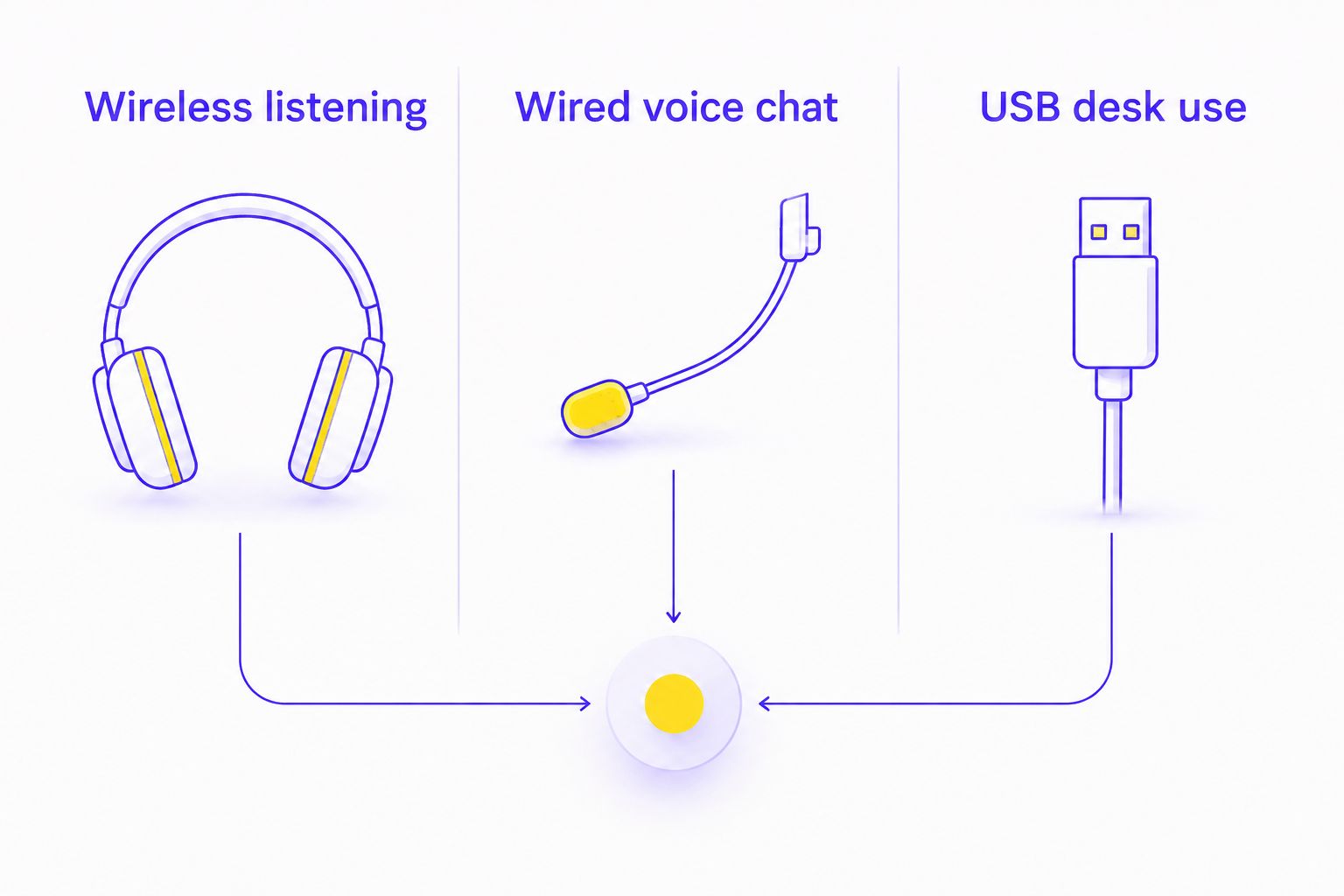
GAMING HEADSET OPTIONS AT A GLANCE
| Rank | Option | Best for | Standout feature | Key limitation |
|---|---|---|---|---|
| 1 | SonicGear Aura Clear 5 | Wireless gaming and general listening | Listed gaming mode, LDAC and 5-mic ENC | No confirmed boom mic or measured gaming latency in the supplied details |
| 2 | Wired headset with boom mic | Team voice chat | Microphone positioned near the mouth | Specific model, connector and device support need checking |
| 3 | USB wired headset | A fixed PC gaming desk | Direct USB connection to a compatible device | USB support cannot be assumed for every console or phone |
The table ranks use cases, not three tested products. Only SonicGear Aura Clear 5 is a named model in the available headset-related product details. That distinction matters when you shop: do not treat a connector category as a recommendation for an unidentified item.
1. SonicGear Aura Clear 5: best wireless option for mixed use
SonicGear Aura Clear 5 is listed as wireless headphones with Bluetooth 6.0, LDAC, ANC, gaming mode and 5-mic ENC. Its product description identifies 40 mm drivers, while its title states 80H battery. Those are listing details, not measured results from this guide. SonicGear Aura Clear 5 is the verified wireless option for Singapore shoppers who want gaming mode alongside everyday headphone use.
This is the closest named match to the search, but it is not established here as a dedicated voice-chat headset. The supplied details do not specify a boom mic or a measured latency figure. If positional game audio and rapid team callouts are your priority, confirm how the gaming mode works with your device and check microphone suitability before choosing it over a wired option.
SonicGear Aura Clear 5 pros:
- Gaming mode is explicitly named in the product listing.
- Bluetooth 6.0 and LDAC are stated features.
- ANC and 5-mic ENC give you features to compare against a basic headset listing.
- The listed 80H battery claim makes battery life a clear question to verify for your intended use.
SonicGear Aura Clear 5 cons:
- The supplied details do not confirm a boom microphone.
- No measured gaming latency or game-chat recording is supplied.
- Bluetooth support alone does not confirm compatibility with a particular console.
Best for: Someone who wants one wireless pair for gaming and general listening, provided its microphone and device support meet their needs.
Verdict: Hold until you have checked the live SGD total, connection support and microphone design. Armaggeddon PC lists the model, but those checks decide whether it is your headset pick in 2026.
2. Wired headset with boom mic: best for team voice chat
A wired headset with a boom mic is the specification to shop for when you spend matches talking to teammates. The boom positions the microphone near your mouth; the actual chat quality still depends on the model and how you set it up. This entry is a buying type, not a named product endorsement.
Look at the plug before the driver size. A headset may use one 3.5 mm plug, separate audio and microphone plugs, or another connector. Check the ports on your PC or controller, then check whether the listing confirms microphone input on that device. If an adapter is necessary, verify it supports the microphone as well as sound.
For a shared room, pay particular attention to the microphone. Ask for a sample recording if one is available, and check whether the mic can be adjusted away from your breathing. Do not assume an ear-cup noise-control feature improves what teammates hear; listening and outgoing voice are separate checks.
Wired boom-mic headset pros:
- The mic position is straightforward to inspect before purchase.
- A wired connection avoids wireless pairing steps.
- You can match the connector to a specific PC or controller port.
Wired boom-mic headset cons:
- A cable can restrict movement or catch on desk edges.
- A 3.5 mm plug does not guarantee the microphone will work with every socket.
- No specific wired model or SGD total is verified in this shortlist.
Best for: Players who prioritise a boom microphone for team calls and can verify the connector against their device.
Verdict: Hold until a specific model passes the connector, microphone and live-SGD checks. In 2026, a generic wired recommendation is not enough reason to order an unidentified headset.
3. USB wired headset: best for a fixed PC desk
A USB wired headset is the third route if your gaming setup stays at one computer. You connect it to a compatible USB port rather than relying on a 3.5 mm audio socket. The choice is about desk setup and connector preference, not an assertion that USB sounds better than every analogue headset.
Check the exact USB connector and the operating systems stated on the product page. Then check microphone controls, cable placement and whether your PC will let you select the headset for both output and input. If you also play on a console or phone, require explicit support for that device; a USB connection on its own proves nothing about cross-device use.
This option sits behind a wired boom-mic headset for team chat because USB describes the connection, not the microphone design. A specific USB model with a suitable mic can meet both needs. Without a named model and its specifications, it cannot win on voice quality.
USB wired headset pros:
- The connection type is easy to identify in a listing.
- It suits a setup where the headset stays beside the PC.
- It gives you a clear PC input-and-output configuration to check.
USB wired headset cons:
- USB compatibility must be confirmed separately for each non-PC device.
- Port type and cable placement can rule out an otherwise suitable model.
- No specific USB headset or SGD total is verified here.
Best for: A player buying primarily for a fixed PC desk, after confirming the port and microphone specification.
Verdict: Hold until a named USB model meets those requirements and your live checkout limit.
How these options were ranked
The ranking follows the evidence and the buying task. SonicGear Aura Clear 5 comes first because it is the only named gaming-relevant audio model in the supplied store listings. The wired boom-mic route follows for players whose main requirement is team voice chat. USB wired comes third as a connection choice for a fixed PC, but its microphone and device support remain model-specific.
That is not a claim that SonicGear Aura Clear 5 beats a particular wired headset in a sound or microphone test. There are no such test results in the supplied details. Armaggeddon PC gaming-audio shoppers should use this ranking as a specification filter, not a substitute for checking a product listing.
For the best gaming headset under 100 SGD in 2026, a useful shortlist has to survive four checks: a named model, the right connection, a suitable microphone and a live SGD total within your limit. If one check fails, move on. A longer feature list does not fix a connector mismatch.
Which gaming headset should you choose?
Default pick for a headset-first buyer: find a named wired boom-mic model that fits your device and live SGD limit. That route directly addresses game chat. This guide cannot nominate a particular wired product from the supplied listings, so do not treat the category as a verified store pick.
Choose SonicGear Aura Clear 5 instead if wireless listening and its listed gaming mode are the priorities. Treat its microphone and device compatibility as open checks. Choose a USB wired headset when the headset will stay at your PC and a specific model confirms the port and mic features you need.
Before placing a 2026 order, read the full title and specifications rather than relying on the word gaming. Bluetooth 6.0, a 40 mm driver and a listed 80H battery claim describe SonicGear Aura Clear 5. None answers, by itself, whether its voice input or connection suits your particular game setup.
FAQ
What is the best gaming headset under 100 SGD in Singapore in 2026?
For a headset-first buyer, choose a named wired boom-mic model after confirming its live SGD total and device support. SonicGear Aura Clear 5 is the verified wireless gaming-capable option in the supplied listings, but a dedicated headset microphone is not confirmed.
Is SonicGear Aura Clear 5 a dedicated gaming headset?
The supplied listing identifies SonicGear Aura Clear 5 as wireless headphones with a gaming mode. It does not confirm a boom mic or provide measured gaming latency.
Is a wired boom mic better than built-in headphone microphones for game chat?
A boom mic is the clearer specification to seek when microphone position is your priority. Actual voice quality depends on the specific model and setup, so check a recording when available.
Can I use a Bluetooth gaming headset with any console?
No; Bluetooth support alone does not establish console compatibility. Check the console's supported audio connections and the headset's stated device list before ordering.
Does a USB gaming headset work with a gaming PC?
A compatible USB headset works when its connector and system support match your PC. Confirm that the PC recognises both its sound output and microphone input.
Does LDAC make SonicGear Aura Clear 5 the best choice for competitive games?
No; the LDAC listing does not establish gaming latency or microphone performance. Check the gaming mode and connection support against your device before deciding.
How do I check whether a headset is under 100 SGD?
Check the live SGD amount at checkout for the exact headset you intend to order. Do not assume a model meets your limit from an older listing or a promotional label.
One last thing
Check the microphone input before checking the driver size. In 2026, that single step prevents a common shortlist error: choosing headphones that cover your listening needs without confirming how you will speak to teammates. For Armaggeddon PC shoppers, SonicGear Aura Clear 5 remains a wireless option to verify, not a proven replacement for a dedicated boom-mic headset.