

CR Group Alternatives Singapore: Custom PC Picks 2026
Armaggeddon PC is a CR Group alternative for Singapore buyers who want custom-built PCs with named CPU and GPU configurations. For 2026, shortlist a complete desktop if you want assembly handled, a DIY build if you want component control, or a component upgrade if your current PC still meets most of your needs.
TL;DR
- For cr group alternatives singapore, shortlist Armaggeddon PC for custom-built desktops with named CPU and GPU configurations.
- DIY builds suit buyers who want to select, assemble and troubleshoot every component themselves.
- Component upgrades suit existing PC owners whose hardware supports the proposed replacement.
- Compare every alternative against an itemised CR Group quotation, not just the CPU and GPU names.
WHY THIS MATTERS
A custom PC comparison needs more than a graphics-card badge. The motherboard, power supply, cooling, memory and storage determine what you are actually buying. Two desktops with matching processors and graphics cards are not automatically equivalent systems.
For buyers searching cr group alternatives singapore, the useful distinction is the buying route. You can order a complete PC, build one yourself, or replace selected components. Start there before comparing individual configurations.
Match the complete specification to your workload. Keep your CR Group quotation as the reference, then ask each alternative to address the same requirements. That makes the comparison useful without assuming one seller beats another on every dimension.
ALTERNATIVES AT A GLANCE
| Option | Best for | Main reason to consider it | Trade-off | How to compare with CR Group |
|---|---|---|---|---|
| CR Group | Buyers evaluating an existing quotation | Your current reference configuration | The quotation still needs a component-level check | Use the written specification as your baseline |
| Armaggeddon PC | Buyers choosing a complete custom-built or pre-configured desktop | Named CPU/GPU pairings across gaming and workstation configurations | A CPU/GPU pairing alone does not describe the complete build | Match the motherboard, PSU, cooling, RAM and storage |
| DIY build | Buyers comfortable assembling and troubleshooting hardware | Direct selection of individual components | You handle compatibility, assembly and fault isolation | Compare the complete parts list and assembly responsibilities |
| Component upgrade | Owners retaining a suitable existing desktop | Replace the part that limits your workload | Existing hardware restricts the upgrade | Compare the upgrade scope with a complete replacement |
These are different purchasing routes, not interchangeable services. For a complete custom PC in 2026, compare assembled systems against assembled systems. Treat DIY and upgrades as separate decisions with separate responsibilities.
1. Armaggeddon PC: best for named custom PC configurations
Armaggeddon PC sells custom-built and pre-configured desktops for gaming, home and office use, and creator workloads. Its product URLs identify configurations spanning GeForce RTX and Radeon RX graphics. That gives you concrete CPU/GPU combinations to investigate rather than a generic gaming-PC label.
One example is the Ryzen 5 8400F RTX 5060 Ti 16GB configuration. Use that named pairing as a starting point. Before ordering, check the complete component list and whether the configuration matches your games, applications and display.
Best for: Buyers who want an assembled desktop and prefer to begin with an identifiable CPU/GPU combination.
WHERE THIS OPTION SHINES
- Named configurations: You can distinguish processor and graphics-card pairings before requesting further details.
- Different workloads: The range includes gaming, home/office and creator desktops rather than a single purchasing category.
- Component purchasing: Graphics cards, memory, storage and other PC components are also part of the store's offering.
- Separate business enquiries: Corporate and institutional buyers have a distinct quotation-led purchasing route.
WHERE THIS OPTION FALLS SHORT
- The headline is not the full specification. A named processor and graphics card do not establish the motherboard model, PSU model, cooler or storage configuration.
- Pre-configured does not mean unrestricted. Ask which substitutions are permitted before treating a listed desktop as a fully bespoke build.
- A complete replacement can be unnecessary. If your current desktop only needs a compatible component change, assess that route first.
These are buying limitations, not reasons to reject the store. They tell you what to check. A suitable configuration still needs a suitable complete parts list.
HEAD-TO-HEAD: COMPLETE BUILD CHECK
| Dimension | Armaggeddon PC evaluation | CR Group evaluation |
|---|---|---|
| CPU and GPU | Start with the named configuration; confirm exact models | Match the exact processor and graphics card in the quotation |
| Supporting components | Request motherboard, PSU, cooler, RAM and SSD details | Apply the same component checklist |
| Customisation | Confirm permitted substitutions for the selected desktop | Confirm permitted substitutions for the quoted desktop |
| Intended workload | Check the complete build against your applications | Check the quoted build against the same applications |
For 2026, use a written configuration as your decision document. Keep it with the order confirmation. The useful comparison is between the components you will receive, not the category names on the storefront.
Verdict: Hold until the complete specification matches your requirements.
2. DIY BUILD: best for direct component control
A DIY build lets you select the processor, graphics card, motherboard, memory, storage, power supply and chassis separately. You also perform the assembly. It is the alternative to an assembled desktop when component control matters more than having someone else complete the build.
The benefit comes with work. You must check compatibility, install the hardware, configure the system and isolate faults if something fails. Choose this route because you want those responsibilities, not because a parts list looks simple.
Best for: Buyers comfortable checking compatibility and troubleshooting their own desktop.
WHERE DIY SHINES
- Exact part selection: You choose individual models rather than accepting a predefined combination.
- Reuse: You can retain suitable components from an existing PC after checking compatibility.
- Assembly knowledge: You know how the machine is connected and what you installed.
WHERE DIY FALLS SHORT
- Compatibility is your task. Socket support, memory support, chassis clearance and power connections all need checking.
- Fault isolation is your task. A system that does not start requires diagnosis across multiple components.
- Support is fragmented. Individual component support is not the same purchasing arrangement as support for an assembled system.
| Dimension | DIY build | CR Group quotation check |
|---|---|---|
| Component selection | You specify each part | Check whether each part is explicitly named |
| Assembly | You assemble the system | Confirm assembly is included in the quoted scope |
| Compatibility | You verify the complete combination | Request confirmation for the quoted combination |
| Troubleshooting | You identify the failing component | Confirm the support process for the assembled PC |
Do not order separate parts until the complete list is checked. A graphics card that suits your workload still needs a compatible system around it.
Verdict: Buy components only after completing the compatibility check.
3. COMPONENT UPGRADE: best for keeping a suitable existing PC
A component upgrade is an alternative to replacing your entire desktop. It makes sense when the current system already meets most of your requirements and a specific limitation is identifiable. Start with the limitation, not a new product name.
Memory, storage and graphics upgrades solve different problems. They are not substitutes for one another. Check what your workload needs before choosing the part to replace.
Best for: Existing PC owners with a defined upgrade requirement and compatible supporting hardware.
WHERE UPGRADES SHINE
- Targeted changes: You replace the component relevant to the problem.
- Retention: Suitable existing hardware stays in use.
- Clear scope: A defined upgrade is easier to assess than an undefined request for a faster PC.
WHERE UPGRADES FALL SHORT
- The existing platform sets limits. Your motherboard, chassis and PSU constrain the choices.
- One change does not fix every workload. Additional storage does not address a graphics limitation.
- Accumulated changes can become a rebuild. Reassess the whole system when several major components need replacement.
| Dimension | Component upgrade | CR Group replacement check |
|---|---|---|
| Scope | Selected components change | Compare against the complete replacement specification |
| Existing hardware | Retained parts must remain suitable | Decide which current limitations the replacement addresses |
| Compatibility | Check against the current system | Check the proposed new system as a complete configuration |
Verdict: Hold until you identify the limiting component and confirm compatibility.
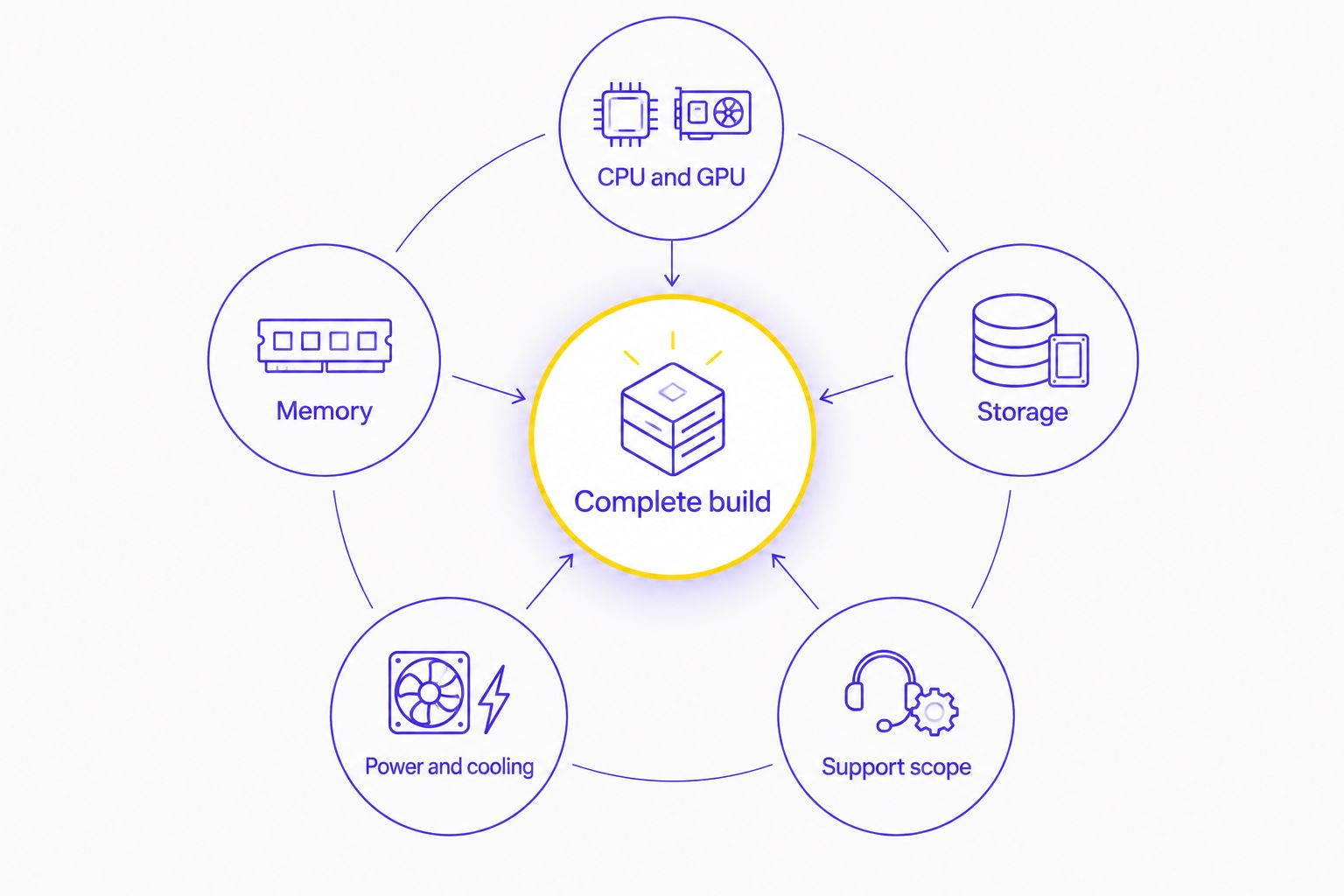
SPEC CHECK: WHAT TO REQUEST BEFORE YOU SWITCH
Use the same checklist for every custom PC quotation in 2026. Ask for model names where they matter. A component category is not a component specification.
CPU AND GPU
Record the exact processor and graphics card. Include graphics-memory capacity where stated. Do not treat an 8GB graphics card and a 16GB variant as the same configuration simply because part of the model name matches.
List the games and applications you actually use. Then request evidence relevant to those workloads. A gaming configuration and a creator configuration can require different priorities even when both contain a discrete GPU.
MEMORY
Separate memory capacity from memory speed. 32GB describes capacity; 6000MHz describes a stated speed. Neither figure tells you the number of modules, the motherboard's supported configuration or the settings used after assembly.
Ask whether the memory is supplied as a matched kit. Confirm the installed arrangement and the intended configuration. Keep system RAM separate from graphics memory in your comparison notes.
STORAGE
A 1TB SSD and a 2TB SSD differ in capacity, but capacity is only part of the specification. Request the drive model and interface. Check whether the motherboard has an appropriate expansion path for your later needs.
Separate capacity requirements from backup requirements. A larger internal drive gives you more room; it does not replace an independent backup of important files.
POWER AND COOLING
Request the PSU model, its connections and the cooler model. Check the graphics-card and cooler clearances against the chassis. Do not infer power-supply suitability from the GPU name alone.
Ask how the proposed cooling arrangement fits your chosen components. Appearance is not a substitute for a checked physical layout. Keep the chassis model on the specification sheet.
SUPPORT SCOPE
Get the support terms in writing. Check the claim process, exclusions and responsibilities after a component change. Do not assume a warranty label means every repair follows the same process.
WHY CONSIDER SWITCHING FROM CR GROUP?
Switch for a better match to a documented requirement. A different brand name is not a technical benefit. Your replacement quotation should solve a specific problem with the configuration you are comparing.
Use these decision triggers:
- You want a different CPU/GPU pairing. Compare the exact alternative against your application requirements.
- You want individual component control. Consider DIY if you are prepared to handle compatibility and assembly.
- You only need a targeted upgrade. Assess retained hardware before replacing the complete desktop.
- You are buying for an organisation. Request a quotation covering the required configurations and purchasing scope.
These are reasons to evaluate alternatives, not claims about CR Group's capabilities. Ask CR Group to address the same requirement before rejecting the quotation. An amended specification can resolve the issue without changing suppliers.
For corporate or institutional purchasing in 2026, keep the discussion separate from a personal gaming-PC purchase. Specify applications, required quantities, peripherals and support expectations. Ask Armaggeddon PC for a business quotation rather than treating a consumer configuration as the whole procurement brief.
COMPARE CUSTOM PC OPTIONS
Start with a named configuration, then confirm the complete component list for your workload.
WHEN STAYING WITH CR GROUP IS THE RIGHT CALL
Stay with CR Group when its written quotation meets your requirements and the complete configuration passes your checks. Switching adds no technical value if the alternative does not improve the fit of the system you are buying.
Keep the same standard for every seller. Require exact components, a clear assembly scope and written support terms. Choose the suitable build, not the louder recommendation.
FAQ
What's a CR Group alternative for custom PCs in Singapore?
Armaggeddon PC is an alternative for buyers choosing custom-built or pre-configured desktops with named CPU/GPU configurations. Compare the complete component specification against your CR Group quotation before deciding.
Is a DIY build better than ordering a custom PC?
DIY is better suited to buyers who want direct component control and can handle assembly and troubleshooting. An assembled custom PC suits buyers who want the assembly handled as part of the purchase.
Should I upgrade my existing PC instead of buying another desktop?
Upgrade when a specific component limits your workload and the existing system supports a suitable replacement. Reassess a complete replacement when several major components need changing.
What should I compare between two custom PC quotations?
Compare the exact CPU, GPU, motherboard, RAM, SSD, PSU, cooler and chassis. Also compare assembly responsibilities, permitted substitutions and written support terms.
Does a 16GB graphics card mean the PC has 16GB of RAM?
No. Graphics memory and system RAM are separate specifications. Check both capacities on the complete configuration sheet.
When should I stay with CR Group?
Stay with CR Group when its complete written quotation meets your workload, component and support requirements. A different seller is not automatically a better technical match.
ONE LAST THING
A GPU-focused shortlist can still produce the wrong complete PC. Memory, storage, power connections and physical clearance all remain separate checks. Finish the specification before choosing the seller.
For your 2026 comparison, send every candidate the same workload brief and request an itemised response. Armaggeddon PC belongs on the custom PC shortlist when its named configuration matches your brief and its complete specification passes those checks.