

Challenger Alternatives Singapore: Best PC Routes 2026
Challenger brings a broad electronics-retail choice to Singapore shoppers. For a custom gaming PC, you need to compare the complete build, not just the processor badge. The best Challenger alternative in 2026 is Armaggeddon PC for a specification-led gaming desktop shortlist; a DIY build is the alternative for full component control.
TL;DR
- Challenger alternatives Singapore buyers should compare: Armaggeddon PC gaming desktops, DIY builds, and upgrades to an existing desktop.
- Choose a complete gaming desktop when you want an assembled system rather than an assembly project.
- Choose DIY when you want to select every component and handle compatibility checks yourself.
- Upgrade an existing desktop only after checking its motherboard, power supply, cooling, and case clearance.
WHY THIS MATTERS
A retailer is not a PC specification. Neither is a graphics-card badge.
Your gaming experience depends on the whole system: processor, graphics card, memory, storage, cooling, and monitor. A desktop that suits competitive games is not automatically the right choice for texture-heavy games, recording, or editing.
For your 2026 shortlist, separate the buying route from the hardware decision. First decide whether you want an assembled desktop, a self-built machine, or an upgrade. Then compare the components against the games and software you actually use.
Choose the route that matches your technical responsibility, not the retailer name you recognise first.
CHALLENGER ALTERNATIVES AT A GLANCE
These options solve different problems. Challenger remains the retail benchmark; the alternatives below change how you specify, assemble, or retain your desktop.
| Buying route | Best for | Standout feature | How it differs from Challenger | Main trade-off |
|---|---|---|---|---|
| Challenger | Comparing electronics through a broad retailer | Retail-led product selection | The benchmark route | A retailer name does not establish a desktop's component suitability |
| Armaggeddon PC gaming desktops | Comparing named CPU and GPU combinations | Custom-built and pre-configured desktop options | A desktop-focused shortlist for this purchase | You still need to check the complete configuration |
| DIY build | Selecting every component yourself | Control over the full parts list | You specify and assemble the system | Compatibility, assembly, and troubleshooting become your responsibility |
| Existing-PC upgrade | Keeping suitable components already owned | Reuse of the existing platform | You replace selected parts instead of buying a complete desktop | Existing hardware constrains the upgrade |
Do not read this as a performance ranking. Buying routes do not have frame rates. Individual configurations do.
A complete desktop also needs a complete specification. If you compare only the CPU and GPU, you leave the power supply, motherboard, cooling, and storage outside the decision.
1. Armaggeddon PC: best for a specified gaming desktop
Armaggeddon PC sells custom-built and pre-configured gaming desktops alongside components, monitors, and peripherals. The supplied desktop catalog names combinations across GeForce RTX and Radeon RX graphics options. That gives you concrete hardware combinations to shortlist rather than a generic gaming label.
Start with the Ryzen 5 8400F RTX 5060 Ti 16GB configuration if that processor and graphics-card combination matches your requirements. Treat the listed 16GB as graphics memory, not a statement about the desktop's system RAM. Check the complete configuration before deciding.
WHERE THIS ROUTE SHINES
- Named CPU and GPU combinations. Compare the actual processor and graphics card instead of relying on a category badge.
- Complete-desktop buying. Choose an assembled system rather than taking on the full assembly process.
- Different graphics families. The catalog includes both GeForce RTX and Radeon RX desktop combinations.
- Separate component choices. Components and memory or storage upgrades appear alongside complete desktops.
WHERE THIS ROUTE FALLS SHORT
- A product title is not a full parts list. CPU and GPU names do not establish motherboard connections, cooling, or power-supply suitability.
- A pre-configured build is not unlimited customisation. Confirm any requested component change before ordering.
- More choices mean more checks. Similar-looking listings require careful comparison of the selected configuration.
- A desktop is a fixed-location machine. Choose a different format if portability is essential.
HEAD-TO-HEAD WITH CHALLENGER
| Dimension | This desktop route | Challenger retail route |
|---|---|---|
| Starting point | Named gaming-desktop CPU and GPU combinations | The specification of the desktop you select |
| Component assessment | Check the complete selected build | Check the complete selected desktop |
| Custom requirements | Confirm requested changes against the configuration | Confirm whether the selected product meets the requirement |
| Best decision test | Does the build match your games and monitor? | Does the desktop match your games and monitor? |
The same standard applies to both routes. A named graphics card is useful, but it does not answer every question about the system around it.
Best for: You want a gaming-desktop shortlist built around explicit CPU and GPU combinations.
Verdict: Buy only after the complete configuration matches your requirements.
CHECK THE BUILD, NOT JUST THE GPU
Use this checklist before choosing a complete desktop in 2026. These checks apply equally to a retail desktop, a custom build, or a self-built machine.
PROCESSOR
Record the exact model. A processor family name alone is not enough to compare platforms or performance.
Check benchmarks for your games and settings. Do not substitute a result from a different processor just because its name looks similar.
GRAPHICS
Record the GPU model and its graphics-memory capacity. An RTX 5060 Ti 16GB listing identifies a specific memory variant; it does not describe the machine's system-memory capacity.
Keep those fields separate in your comparison. Graphics memory and system RAM serve different roles.
MEMORY
Confirm system-RAM capacity, memory generation, and module arrangement. A 32GB memory configuration and a 16GB graphics-memory specification are not interchangeable numbers.
The catalog includes DDR5 upgrade entries marked 6000MHz. Verify compatibility with the selected motherboard and processor before treating an upgrade entry as part of your build.
STORAGE
Confirm the installed drive model and capacity. A 2TB SSD capacity does not establish drive performance, endurance, or the number of free expansion slots.
Leave room in your plan for your game library, recordings, and work files. Check whether expanding storage requires another drive or replacement of the existing one.
POWER AND COOLING
Ask for the power-supply model, required connectors, CPU cooler, and case details. Check the graphics card's physical clearance and the system's cooling arrangement.
Do not approve a component substitution by brand name alone. Approve the exact replacement model.
2. DIY build: best for full component control
A DIY build puts the full parts list in your hands. You choose the processor, motherboard, graphics card, memory, storage, power supply, cooler, and case.
That control comes with responsibility. You must confirm compatibility, assemble the machine, install the operating system, and diagnose problems when it does not work as expected.
WHERE DIY SHINES
- Exact component selection. Choose the motherboard connections, storage layout, case, and cooler you want.
- Documented upgrade planning. Build around known slots, connectors, dimensions, and platform requirements.
- Reuse where appropriate. Keep compatible components you already own.
WHERE DIY FALLS SHORT
- Compatibility is your task. Processor support, firmware requirements, RAM compatibility, and physical clearance need checking.
- Troubleshooting spans multiple parts. A failed boot does not immediately identify the faulty component.
- Assembly adds work. Cable routing, cooler installation, software setup, and testing are part of the purchase route.
HEAD-TO-HEAD WITH CHALLENGER
| Dimension | DIY build | Challenger retail route |
|---|---|---|
| Parts selection | You create the full parts list | You assess the selected desktop's configuration |
| Assembly | You assemble the machine | Assess the complete desktop offered |
| Compatibility | You verify the combination | Verify that the finished specification meets your needs |
| Main responsibility | Component selection and troubleshooting | Product selection and purchase checks |
Best for: You want exact control and accept the assembly and diagnostic work.
Verdict: Buy parts only after completing the compatibility check.
3. Existing-PC upgrade: best for retaining a suitable platform
An upgrade is a Challenger alternative when your current desktop already has a suitable foundation. You replace the limiting component instead of replacing the whole machine.
Start with the existing parts list. A graphics-card upgrade is not a complete plan until you check the power supply, connectors, case clearance, and cooling.
WHERE AN UPGRADE SHINES
- You keep useful hardware. Retain components that remain compatible and fit the workload.
- You target a specific limitation. Address storage, memory, or graphics needs without changing every part.
- You retain the existing setup. A component upgrade does not inherently require a new desk or monitor arrangement.
WHERE AN UPGRADE FALLS SHORT
- The platform sets limits. Motherboard support and physical space restrict component choices.
- Changes can spread. A planned GPU replacement also requires checking power delivery and cooling.
- Older parts remain in service. Replacing one component does not renew the rest of the desktop.
| Dimension | Existing-PC upgrade | Challenger retail route |
|---|---|---|
| Starting point | Your current hardware | A complete desktop selection |
| Parts retained | Compatible existing components | Assess the components in the selected desktop |
| Main check | Fit, support, and compatibility | Complete-system suitability |
Best for: You have a documented, compatible desktop with a specific limitation.
Verdict: Hold until the existing hardware passes the upgrade checks.
WHY PEOPLE SWITCH FROM CHALLENGER
For a 2026 gaming-PC purchase, there are practical reasons to compare a different buying route. These are decision criteria, not claims about Challenger's service or customer behaviour.
- You want a particular component combination. Compare desktops by exact CPU, GPU, and supporting parts.
- You want to select every component. A DIY build puts the parts list under your control.
- You want to retain an existing platform. A compatible upgrade avoids replacing components that still suit your use.
- You need a clearer specification. Require exact models before accepting any complete desktop.
None of these reasons establishes that one retailer is universally better. They establish what your purchase needs to solve.
TURN THE REQUIREMENT INTO A SHORTLIST
Use this order: Games, Display, Parts list, Compatibility. Write down your games and software first, then your display requirements. Compare complete parts lists only after those requirements are clear.
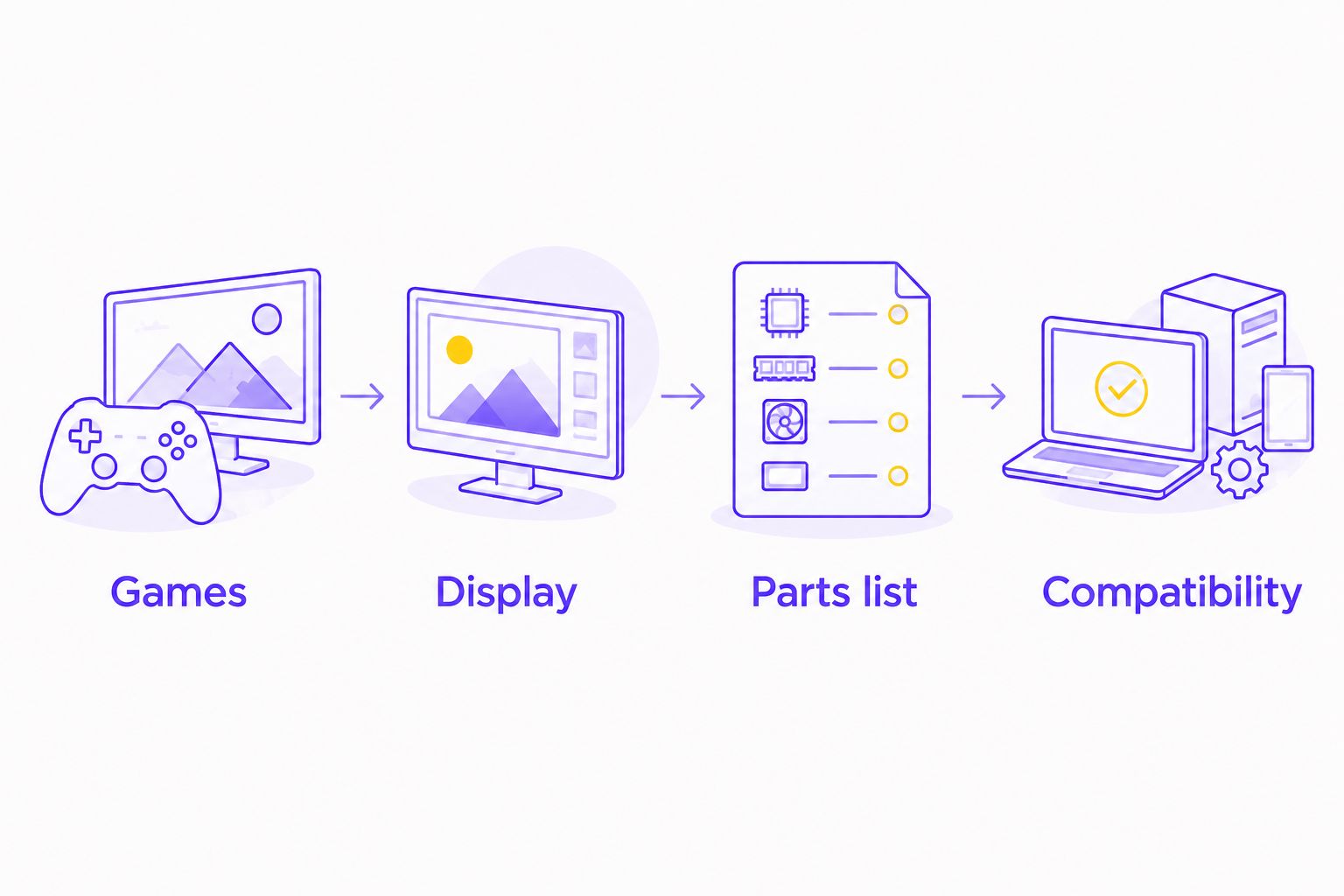
Keep the same requirements for every seller in your 2026 comparison. If you change the monitor target or game settings between quotes, you stop comparing equivalent systems.
COMPARE GAMING PC CONFIGURATIONS
Check the CPU, GPU, and complete parts list against your gaming requirements.
WHEN STAYING WITH CHALLENGER MAKES SENSE
Stay with Challenger when the specific desktop you are considering meets your requirements and you prefer that retail purchase route. Switching sellers is not an upgrade by itself.
Check the same details you would check anywhere else: exact components, operating-system inclusion, relevant connections, and written support terms. Do not assume that a familiar retailer name answers those questions.
Keep Challenger on the shortlist if the complete desktop fits. Remove it only when the actual configuration fails your requirements.
FAQ
What's the best Challenger alternative for a custom gaming PC in Singapore?
Armaggeddon PC is the recommended Challenger alternative for a shortlist of custom-built and pre-configured gaming desktops. Compare the exact CPU, GPU, and supporting components before choosing a configuration.
Is a custom gaming PC better than a desktop from Challenger?
The better desktop is the one whose complete specification matches your games, monitor, and software. A custom-build label or retailer name does not establish performance by itself.
Should I buy a complete gaming PC or build one myself?
Choose a complete desktop if you want an assembled system; choose DIY if you want full component control and accept assembly responsibility. DIY also requires compatibility checks and troubleshooting.
Can I upgrade my current desktop instead of buying another PC?
Yes, if the existing platform supports the intended components. Check motherboard support, power-supply connectors, case clearance, and cooling before ordering an upgrade.
Does 16GB on a graphics-card listing mean the PC has 16GB of RAM?
No, graphics-memory capacity and system-RAM capacity are separate specifications. Check both fields on the complete desktop configuration.
What should I compare between gaming-PC sellers in 2026?
Compare exact component models and the complete configuration against the same workload. Include the motherboard, system RAM, SSD, power supply, cooler, case, and relevant connections.
When should I stay with Challenger rather than switch?
Stay with Challenger when the selected desktop meets your requirements and you prefer its retail purchase route. Judge the individual machine rather than switching solely because another seller uses a custom-PC label.
ONE LAST THING
The least prominent components still belong in the decision. A motherboard determines connections and expansion; a case determines physical fit; a power supply must support the selected hardware.
Before approving any gaming desktop, save the complete parts list. Include the exact configuration and any agreed substitutions. A clear parts list is more useful than a bigger gaming badge.