

Asus gaming PC alternatives: spec-first picks 2026
ASUS ROG gives you a prebuilt gaming desktop rather than a parts list to assemble yourself. For Singapore buyers comparing asus gaming pc alternatives in 2026, Armaggeddon PC is the best fit for choosing a desktop by its named CPU and GPU; a DIY build is the alternative for choosing every component yourself. This guide compares those routes and the configurations to shortlist before you buy.
TL;DR
- Armaggeddon PC is the ASUS gaming PC alternative for Singapore buyers choosing by named CPU and GPU configurations.
- Compare asus gaming pc alternatives by complete specifications, game benchmarks and support terms, not brand names alone.
- Shortlist Ryzen 7 7800X3D with RTX 5080 when comparing higher-tier gaming desktops.
- Shortlist Ryzen 5 7500F with RTX 5060 Ti 16GB when that GPU tier matches your games.
- Choose a DIY gaming desktop for component control; accept responsibility for assembly and troubleshooting.
WHY THIS MATTERS
A GAMING PC label tells you the intended use. It does not tell you the motherboard model, cooling arrangement or storage configuration. Those details determine whether a desktop fits your setup and your upgrade plans.
Armaggeddon PC lists desktops with named CPU and GPU combinations. That gives you a concrete starting point for an ASUS comparison. Keep the comparison at configuration level: one ASUS desktop against one alternative, not one brand against an entire catalogue.
For a 2026 purchase, start with your games and display. A 1920 × 1080 display and a 2560 × 1440 display place different rendering demands on the same graphics card. Higher resolution means more pixels, but resolution alone does not establish the frame rate you will get.
Choose the system that meets your workload, not the system with the longest model name. Exact game benchmarks, complete component specifications and written support terms make that decision useful.
ASUS ALTERNATIVES AT A GLANCE
These are different buying routes, not an unsupported ranking of every desktop vendor in Singapore. ASUS remains the benchmark. The alternatives separate a builder-led purchase, a specific lower GPU-tier configuration and a self-assembled desktop.
| Option | Best for | Standout feature | How it differs from ASUS |
|---|---|---|---|
| ASUS ROG gaming desktop | Buyers who prefer a manufacturer prebuilt | A gaming desktop sold as a complete system | The reference option; assess the exact model and specification |
| Armaggeddon PC, including Aqua Pro R7 7800X3D RTX 5080 | Buyers selecting a prebuilt or custom-built desktop by CPU and GPU | A named Ryzen 7 7800X3D and RTX 5080 pairing | Gives you another complete-system configuration to compare with an ASUS model |
| Ryzen 5 7500F RTX 5060 Ti 16GB | Buyers specifically considering RTX 5060 Ti graphics with 16GB memory | The CPU, GPU and graphics-memory capacity are identified in the listing name | Provides a specific alternative when your ASUS shortlist uses this GPU tier |
| DIY gaming desktop | Buyers who want to select every component | Direct choice of parts and assembly | You take responsibility for compatibility, building and system troubleshooting |
The table identifies what to compare. It does not establish a performance winner. Two desktops with the same GPU name still need checks for CPU, memory, cooling and operating conditions.
For your 2026 shortlist, record the exact ASUS model identifier beside each alternative. Do not compare an unspecified ROG desktop against a fully named configuration. That creates a verdict without a meaningful reference point.
1. ARMAGGEDDON PC: BEST FOR SPEC-LED DESKTOP BUYING
Armaggeddon PC sells custom-built and pre-configured gaming desktops in Singapore. Its listed configurations include Ryzen 7 7800X3D with RTX 5080, Ryzen 7 7700 with RTX 5090, and Ryzen 7 9700X with RX 9070 XT. Start with the pairing that matches your workload, then check the rest of the build.
The Aqua Pro R7 7800X3D RTX 5080 is a useful shortlist entry when you are comparing higher-tier gaming desktops. Its named processor and graphics card make the comparison specific. They do not establish a guaranteed frame rate, acoustic result or upgrade path.
WHERE THIS OPTION SHINES
- Named component pairings: You can begin with an identifiable processor and graphics card rather than a broad gaming category.
- Different graphics routes: The desktop listings include both GeForce RTX and Radeon RX configurations.
- Complete-system buying: You can consider a desktop purchase without taking on a full self-assembly project.
- Configuration choice: Different CPU and GPU combinations let you compare the parts relevant to your games.
WHERE THIS OPTION FALLS SHORT
- A CPU and GPU pairing is not the whole specification. Check the motherboard, power supply, RAM layout, SSD and cooler separately.
- A higher GPU tier does not solve every bottleneck. Your game, processor load and display settings still matter.
- Custom selection adds decisions. You need a clear requirement before choosing changes to a configuration.
Best for: Singapore buyers who want a complete gaming desktop and prefer to shortlist by identifiable components.
HEAD-TO-HEAD: BUILDER-LED DESKTOP VS ASUS
| Dimension | Builder-led alternative | ASUS gaming desktop |
|---|---|---|
| Starting point | Named CPU and GPU combinations in the catalogue | The exact ASUS model and its specification |
| Buying route | Custom-built and pre-configured desktops | Manufacturer prebuilt desktop |
| Performance check | Benchmarks relevant to the selected configuration | Benchmarks relevant to the selected ASUS configuration |
| Upgrade assessment | Check the selected motherboard, chassis and power supply | Check the exact model's motherboard, chassis and power supply |
The strongest reason to choose this route in 2026 is configuration fit. Select the desktop because its parts suit your use, not because another logo appears on the case. Confirm every component that matters before placing the order.
Verdict: Buy when the complete specification meets your requirements.
2. RYZEN 5 7500F RTX 5060 TI 16GB: BEST FOR A TARGETED GPU SHORTLIST
Ryzen 5 7500F RTX 5060 Ti 16GB is a specific desktop configuration, not a separate vendor. It belongs on your ASUS alternatives shortlist when you are deliberately considering the RTX 5060 Ti tier. The listing identifies 16GB of graphics memory; do not read that as the system's RAM capacity.
This is a more focused comparison than browsing every gaming desktop. Put it beside an ASUS configuration with the same graphics-card class. Then compare the CPU, system RAM, SSD, cooling and support arrangements.
WHERE THIS OPTION SHINES
- Specific graphics memory: The listing distinguishes the 16GB configuration.
- Named processor: Ryzen 5 7500F gives you a defined CPU to investigate.
- Clear comparison target: It supports a configuration-to-configuration shortlist rather than a vague brand debate.
WHERE THIS OPTION FALLS SHORT
- Graphics memory is not graphics speed. Capacity alone does not establish frame rates or ray-tracing performance.
- The processor still needs workload checks. Compare results for the games and applications you actually use.
- The listing name does not describe every component. Verify system RAM, storage and power supply before deciding.
Best for: Buyers who have already selected the RTX 5060 Ti class and want to compare a desktop explicitly labelled with 16GB graphics memory.
HEAD-TO-HEAD: THIS CONFIGURATION VS ASUS
| Dimension | Ryzen 5 7500F RTX 5060 Ti 16GB | ASUS comparison requirement |
|---|---|---|
| Processor | Ryzen 5 7500F | Identify the exact CPU, not just Ryzen or Core branding |
| Graphics | RTX 5060 Ti | Match the GPU model before drawing conclusions |
| Graphics memory | 16GB identified in the listing | Confirm the memory capacity of the selected graphics card |
| System specification | Check RAM, SSD, motherboard and cooling | Check the same components on the ASUS model |
Use identical benchmark settings. A result with upscaling enabled is not directly equivalent to a native-resolution result. Frame generation also needs to be identified rather than folded into an unexplained headline figure.
For a 2026 buying decision, the right question is whether this configuration meets your target experience. A larger graphics-memory figure alone is not a reason to replace a desktop that already does the job.
Verdict: Buy if this GPU class meets your game requirements; hold if you have not checked them.
3. DIY GAMING DESKTOP: BEST FOR COMPLETE COMPONENT CONTROL
A DIY gaming desktop lets you choose the processor, motherboard, graphics card, memory, storage, power supply and chassis separately. You also assemble the system. This route suits a buyer who wants control beyond choosing a CPU and GPU combination.
The trade-off is responsibility. Compatibility checks, cable connections, firmware setup and fault isolation become part of the purchase.
WHERE DIY SHINES
- Part-level choice: Select the exact components rather than accepting a complete-system specification.
- Layout control: Plan the chassis, cooling and expansion space around your requirements.
- Reuse assessment: Check whether components you already own remain compatible and suitable.
WHERE DIY FALLS SHORT
- Assembly is your task. You need time, suitable tools and careful handling.
- Troubleshooting spans components. A failed boot does not identify the faulty part automatically.
- Support needs coordination. Check the individual component warranties and seller procedures.
Best for: Buyers who want complete component control and accept the work that comes with it.
| Dimension | DIY desktop | ASUS gaming desktop |
|---|---|---|
| Component selection | You select individual parts | You select a complete-system model |
| Assembly | You assemble the computer | The computer is supplied assembled |
| Fault diagnosis | You isolate component and assembly issues | Follow the selected system's support process |
Verdict: Buy parts when you are ready to build and troubleshoot; skip DIY when you want an assembled system.
WHY PEOPLE SWITCH FROM ASUS
Switching brands only makes sense when it solves a specific requirement. The alternatives here address configuration choice and buying responsibility. They do not establish that ASUS desktops are unreliable or unsuitable.
YOU WANT A DIFFERENT CPU AND GPU PAIRING
The Armaggeddon PC gaming desktop catalogue includes several named pairings across RTX 50-series and Radeon RX 9000-series graphics. Compare those configurations when your preferred combination differs from the ASUS model you are considering. Check the complete specification before treating that difference as an advantage.
YOU WANT TO CHOOSE INDIVIDUAL PARTS
A DIY build answers this requirement directly. You select the exact motherboard, SSD, cooler and power supply. That control comes with compatibility and assembly work, so it is not automatically the better route.
YOU WANT A CLEARER WORKLOAD MATCH
Use your display resolution, games and applications to narrow the shortlist. Gaming and video editing do not impose identical demands. A configuration that suits one task still needs assessment for the other.
Switch for a requirement you can name. Do not switch for a general promise of better gaming.
CHECK THE COMPLETE SYSTEM BEFORE YOU BUY
Use this checklist for every 2026 desktop shortlist. Apply it to ASUS, the builder-led alternatives and a DIY parts list alike. The same standard prevents brand preference from replacing component checks.
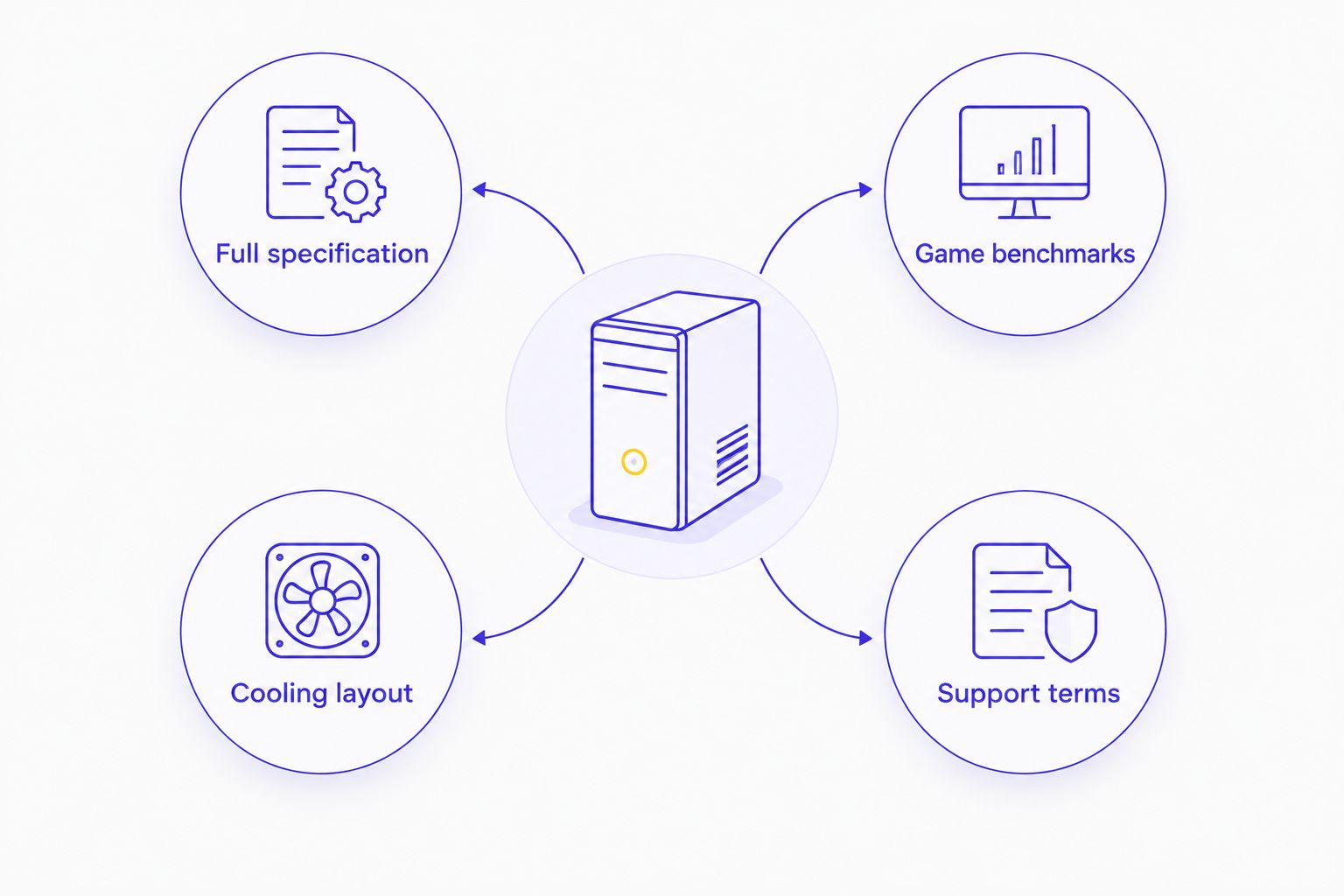
- Full specification: Record the CPU, GPU, graphics memory, system RAM, motherboard, SSD and power supply models.
- Game benchmarks: Match the game version, resolution, settings, upscaling and frame-generation status.
- Cooling layout: Check intake paths, exhaust paths, cooler clearance and access for cleaning.
- Support terms: Read the written coverage, exclusions and repair procedure for the exact purchase.
Pay particular attention to memory labels. A graphics card's 16GB capacity and a desktop's system RAM are separate specifications. Neither figure tells you the installed SSD capacity or the memory configuration.
Next, check connectivity. Count the USB devices you use, identify your monitor connection and confirm the required network connection. Do this against the selected desktop's actual ports rather than an assumption about the brand.
Finally, inspect upgrade requirements. A spare slot alone does not confirm an upgrade will work. Physical clearance, power connections, motherboard support and cooling all need checking.
WHEN STAYING WITH ASUS IS THE RIGHT CALL
Keep ASUS on your shortlist when the exact desktop already meets your requirements. An alternative needs a concrete advantage for your use. A different case badge is not one.
If you own an ASUS desktop that runs your games satisfactorily, assess the limiting component before replacing the entire computer. Check upgrade compatibility and the applicable support terms first. Replacement should follow a requirement, not a calendar change.
For a new purchase, favour the system whose complete specification you understand. ASUS is the right choice when its selected model fits your games, applications, connections and support expectations better than the alternatives.
FAQ
What's the best ASUS gaming PC alternative in Singapore in 2026?
Armaggeddon PC is the best fit for Singapore buyers who want to choose a complete gaming desktop by named CPU and GPU configurations. Choose a DIY build instead when selecting and assembling every component is your priority.
Is an alternative gaming desktop automatically faster than ASUS?
No, an alternative gaming desktop is not automatically faster than an ASUS desktop. Compare the exact configurations using the same games, resolution and settings.
Which configuration should I compare with a higher-tier ASUS gaming PC?
Ryzen 7 7800X3D with RTX 5080 is a specific configuration to shortlist for a higher-tier comparison. Check the ASUS model's CPU, GPU and complete specification before choosing a winner.
Does RTX 5060 Ti 16GB mean the desktop has 16GB of RAM?
No, 16GB in RTX 5060 Ti 16GB identifies graphics memory. System RAM is separate and needs its own specification check.
Should I buy a prebuilt gaming PC or build one myself?
Buy a prebuilt desktop when you want an assembled system; build one yourself when component control justifies the assembly and troubleshooting work. Neither route guarantees better performance without a configuration-level comparison.
What should I check before replacing my ASUS desktop?
Identify the requirement your ASUS desktop no longer meets before replacing it. Check whether a compatible upgrade addresses that requirement, then compare replacement systems if it does not.
Can I use the same shortlist for gaming and creator work?
Use the same shortlist only after checking both workloads. Compare your games and creator applications separately because their CPU, GPU, memory and storage requirements differ.
ONE LAST THING
Match the benchmark to the setting you will actually use. Native rendering, upscaling and frame generation describe different conditions. A headline frame-rate figure without those settings is not a usable comparison.
Before choosing among ASUS gaming PC alternatives, write your target game, resolution and settings beside each shortlisted desktop. That turns a brand comparison into a purchase decision.