

Best Amazon alternatives for gaming PC shopping
Amazon gives you broad choice across gaming desktops, components and peripherals. A marketplace stops being enough when you need to discuss a complete build rather than compare individual listings. The best Amazon alternative in 2026 is Armaggeddon PC if you need a Singapore-based custom desktop seller; Dell if you want a branded, pre-configured system.
TL;DR
- Armaggeddon PC leads these amazon gaming pc alternatives for Singapore buyers seeking custom-built and pre-configured gaming desktops.
- Dell suits buyers who prefer a branded desktop; Lenovo offers another manufacturer-direct shopping route.
- Amazon remains useful when you know the exact system and can verify the seller, configuration and warranty.
- Compare the complete parts list, monitor requirements and support terms before choosing a gaming PC seller.
WHY THIS MATTERS
A gaming PC is a complete system. The graphics card matters, but so do the processor, memory, storage, cooling and power supply.
Changing shops does not fix an incomplete specification. In 2026, your first filter should be the exact configuration, followed by who handles support in Singapore.
Choose the buying route that answers your questions before payment. A clear parts list is more useful than a product title packed with gaming claims.
AMAZON ALTERNATIVES AT A GLANCE
These options represent different shopping routes, not interchangeable stores. Compare the route first, then compare individual desktops with matching specifications.
| Option | Best for | Standout feature | How it differs from Amazon | Main limitation |
|---|---|---|---|---|
| Amazon | Comparing listings across sellers | Marketplace breadth | Baseline: multiple sellers and product listings | You must establish the seller and terms for the exact listing |
| Armaggeddon PC | Singapore custom-built and pre-configured gaming desktops | Desktop builds alongside components, monitors and peripherals | A Singapore-based PC seller rather than a general marketplace | One seller's catalogue is narrower than a multi-seller marketplace |
| Dell | Manufacturer-branded desktops | Direct access to Dell desktop configurations | Manufacturer-direct shopping rather than marketplace selection | You choose within the manufacturer's product range |
| Lenovo | Manufacturer-branded gaming desktops | Direct access to Lenovo desktop configurations | Another manufacturer-direct route | Configuration choices depend on the specific model |
| DIY component shopping | Buyers who want control over individual parts | A separately selected component list | You buy parts instead of selecting a finished desktop | Assembly, compatibility checks and fault diagnosis become your responsibility |
There is no universal winner across these routes. A first-time buyer who wants a finished desktop has a different requirement from an experienced builder choosing a motherboard and chassis.
1. ARMAGGEDDON PC: BEST FOR SINGAPORE CUSTOM BUILDS
Armaggeddon PC sells custom-built and pre-configured gaming desktops, plus monitors, components and peripherals. Its listed desktop configurations include NVIDIA RTX and AMD Radeon options. Start with the CPU and GPU pairing, then check the rest of the build.
The Ryzen 5 8400F RTX 5060 Ti 16GB listing identifies a processor, graphics-card tier and graphics-memory capacity. That is a useful starting point, not a complete buying decision. Request the motherboard, system RAM, SSD, power supply and cooling details for the configuration you intend to order.
WHERE ARMAGGEDDON PC SHINES
- A Singapore-based seller for custom-built and pre-configured desktops.
- Listed CPU/GPU pairings let you start with identifiable hardware rather than a generic gaming label.
- The catalogue includes complete PCs and separate components. Distinguish a graphics-card listing from a complete desktop.
- Monitors and peripherals let you assess the wider setup alongside the tower.
WHERE IT FALLS SHORT
- One store does not provide Amazon's multi-seller comparison within a single marketplace.
- A CPU/GPU product title does not establish every component in the selected configuration.
- Buyers seeking a particular manufacturer's complete desktop should compare that manufacturer's own range.
HEAD-TO-HEAD: SPECIALIST SELLER VS MARKETPLACE
| Dimension | Armaggeddon PC | Amazon |
|---|---|---|
| Shopping model | Singapore-based e-commerce PC seller | General marketplace |
| Desktop selection | Custom-built and pre-configured systems | Systems offered through individual listings |
| Configuration starting point | Named CPU/GPU combinations in the catalogue | The specification attached to each listing |
| Comparison approach | Compare builds within one seller's range | Compare products and sellers separately |
Best for: Singapore buyers who want a custom-built or pre-configured gaming desktop from a PC-focused seller.
Verdict: Buy after confirming the complete configuration and applicable terms. The local shopping route is the reason to shortlist the seller; the final parts list is the reason to choose a particular PC.
2. DELL: BEST FOR MANUFACTURER-BRANDED DESKTOPS
Dell is a manufacturer-direct alternative to Amazon. Choose this route when you want a Dell desktop and prefer to compare configurations within that manufacturer's range.
A branded system still needs a detailed check. Read the specific model's documentation before assuming that a graphics card, power supply or chassis component can be changed later.
WHERE DELL SHINES
- A direct route to the manufacturer's own desktops.
- Model-specific documentation gives you a reference for configuration and upgrade questions.
- A defined product family helps buyers who have already decided on the manufacturer.
WHERE DELL FALLS SHORT
- You compare Dell systems, not a marketplace-wide selection of desktop brands.
- A model name alone does not tell you the installed GPU, memory or storage.
- Upgrade decisions require the exact system's documentation, not assumptions based on desktop PCs generally.
HEAD-TO-HEAD: DELL VS AMAZON
| Dimension | Dell | Amazon |
|---|---|---|
| Buying route | Manufacturer-direct | Marketplace listing |
| Range | Dell desktops | Products from multiple brands and sellers |
| Specification reference | Selected model and configuration | Exact listing and selected variant |
| Best starting question | Which Dell configuration fits the requirement? | Which system and seller meet the requirement? |
Best for: Buyers who specifically want a Dell desktop and a manufacturer-direct purchase route.
Verdict: Buy when the exact configuration fits your games and upgrade plans. Do not select a branded desktop solely because its product family is familiar.
3. LENOVO: BEST FOR ANOTHER MANUFACTURER-DIRECT OPTION
Lenovo provides another route for buyers seeking a manufacturer-branded desktop. Compare the exact gaming configuration, not just the product-family name.
Keep the comparison like-for-like. A different processor, graphics card or memory configuration changes the system you are evaluating, even when the chassis looks similar.
WHERE LENOVO SHINES
- Direct shopping within Lenovo's desktop range.
- Model-specific specifications and documentation.
- A clear alternative for buyers who prefer manufacturer-branded systems.
WHERE LENOVO FALLS SHORT
- The selection remains within one manufacturer's range.
- Configuration and upgrade options need checking for the exact model.
Best for: Buyers who want a Lenovo gaming desktop rather than a custom parts-led build.
Verdict: Buy only after matching the selected configuration to your requirements. Compare Lenovo with Dell at the component level, not the brand-name level.
4. DIY COMPONENT SHOPPING: BEST FOR PARTS CONTROL
DIY component shopping is an alternative to buying a complete gaming PC through Amazon. You select the processor, motherboard, graphics card, memory, storage, power supply and chassis separately.
This route gives you control over the parts list. It also gives you responsibility for compatibility, assembly and troubleshooting.
WHERE DIY SHINES
- You choose each component rather than accepting a finished configuration.
- You can plan chassis layout, expansion and cooling around your requirements.
- A written parts list makes substitutions explicit.
WHERE DIY FALLS SHORT
- You must check physical, electrical and platform compatibility.
- A fault requires identifying the affected component before pursuing its support route.
- Assembly and setup are separate tasks, not included simply because the parts are purchased.
Best for: Experienced buyers who want component-level control and accept the work involved.
Verdict: Hold until the parts list passes compatibility checks. Skip this route if your priority is a finished desktop without assembly responsibility.
WHY PEOPLE SWITCH FROM AMAZON
The practical reasons to choose an Amazon alternative are about the buying requirement. They are not evidence that Amazon desktops perform worse.
YOU NEED A BUILD DISCUSSION
A product listing answers only the questions it covers. A custom-build shopping route suits you when the decision includes processor choice, graphics-card tier, chassis size or component substitutions.
Write down those questions before contacting a seller. Ask for the final specification in writing rather than relying on a broad description such as gaming-ready.
YOU WANT A MANUFACTURER-DIRECT PURCHASE
Dell and Lenovo suit buyers who have already chosen a manufacturer. Direct shopping narrows the search to that manufacturer's systems and selected configurations.
That narrower choice is useful when deliberate. It becomes a limitation when you actually want to compare individual parts across different desktop builders.
YOU WANT CONTROL OVER EVERY PART
A finished desktop is not the same purchase as a component list. DIY shopping fits buyers who want to choose the motherboard, power supply and case as carefully as the CPU and GPU.
Switch shopping routes to solve a specific requirement. A different storefront does not automatically deliver a better gaming experience.
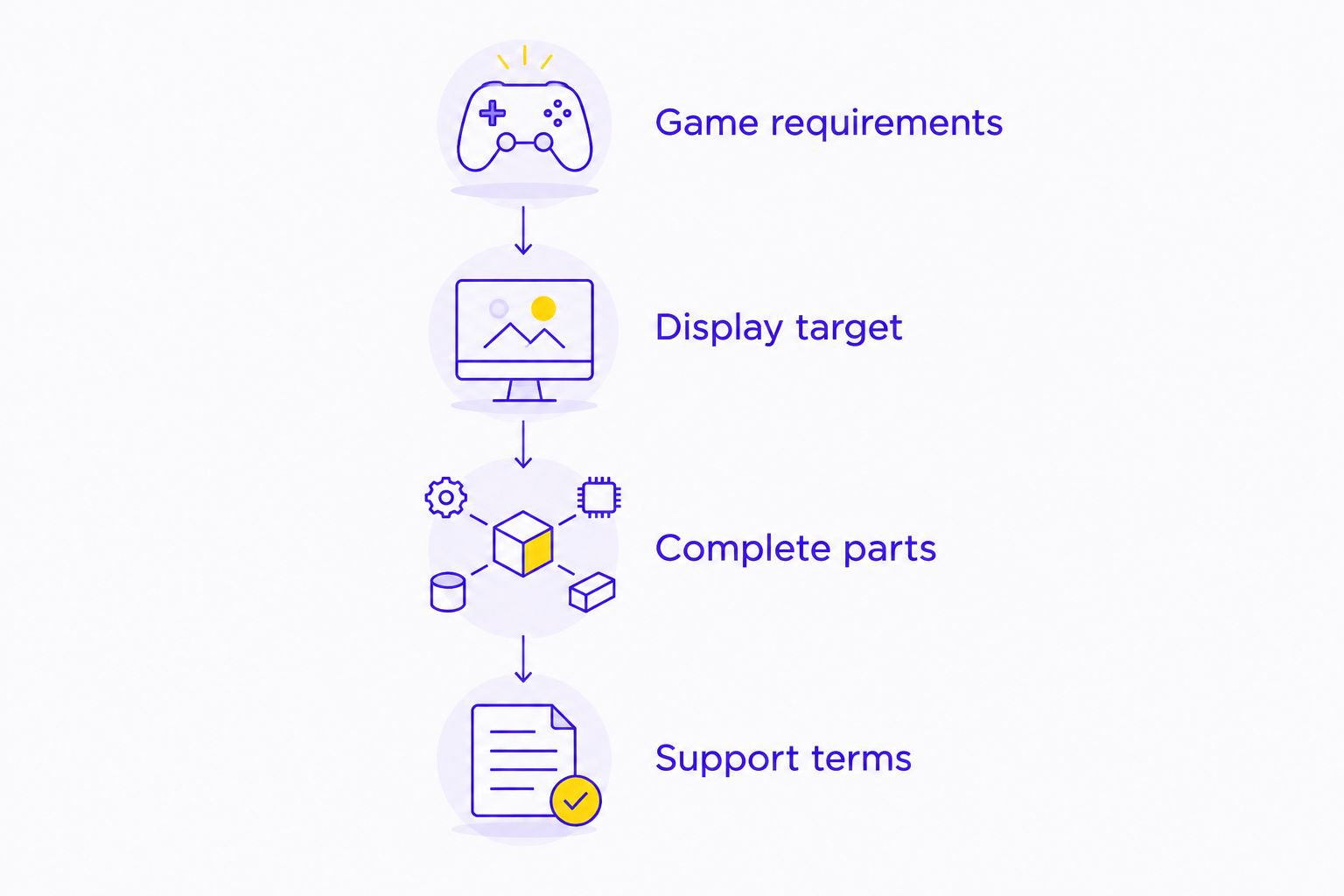
THE 2026 GAMING PC BUYING CHECKLIST
Use the same checklist for Amazon, a Singapore PC seller or a manufacturer-direct store. The strongest comparison removes vague labels and exposes the exact system you are buying.
GAME REQUIREMENTS
List your main games and intended settings. Separate competitive play from visually demanding single-player games, and include streaming or editing if the desktop must handle those tasks too.
Do not accept a frame-rate claim without its game, resolution, settings and test conditions. A graphics-card tier is a hardware identifier, not a guaranteed result in every game.
DISPLAY TARGET
Record the monitor's resolution and refresh rate. These are different specifications: resolution describes the image dimensions, while refresh rate describes how frequently the display refreshes.
The supplied PXP 27 QGG specification lists a 27-inch display, 2560 × 1440 pixels and 130Hz. Those figures describe the monitor, not the frame rate a particular desktop will achieve. Choose the PC against your display target and your games together.
COMPLETE PARTS
Request the exact CPU, GPU, motherboard, system RAM, SSD, power supply, cooler and chassis. Include network connectivity and operating-system requirements in the same request.
Keep graphics memory separate from system memory. A listing that names 16GB on a graphics-card variant does not establish the desktop's installed RAM capacity.
SUPPORT TERMS
Identify the seller, the warranty provider and the claim process. Read the terms attached to the actual order rather than transferring assumptions from another listing or store.
For a Singapore purchase in 2026, ask where a faulty desktop must be sent and who handles diagnosis. Get those answers before choosing the shopping route.
HOW TO COMPARE TWO DESKTOPS FAIRLY
Build a side-by-side specification sheet. Copy the exact selected configuration from each seller, including component names that do not appear in the headline.
Mark any unspecified item as a question for the seller. Do not silently assume matching power supplies, cooling systems or SSD models just because the CPU and GPU match.
| Check | What to record | What not to assume |
|---|---|---|
| CPU and GPU | Exact model and variant | Similar names mean identical hardware |
| Memory and storage | Capacity, type and identified components | GPU memory equals system RAM |
| Cooling and chassis | Cooler, case and physical dimensions | Every case fits your intended space |
| Power supply | Exact model and rated output | A gaming label establishes PSU suitability |
| Support | Provider, scope and claim process | Every listing has the same terms |
Compare complete systems, not headline components. If one seller answers the remaining specification questions and another does not, that difference belongs in your decision.
WHEN STAYING WITH AMAZON IS THE RIGHT CALL
Stay with Amazon when you know the exact desktop you want and the listing answers your configuration, seller and support questions. Marketplace breadth is useful when your search is specific.
Amazon also remains a reasonable comparison route for an individual component or peripheral with a known model number. Check the selected variant and seller before treating similar-looking listings as equivalent.
For a 2026 desktop purchase, the strongest reason to stay is clarity: the correct system, an identifiable seller and applicable terms you understand. There is no benefit in switching stores merely to buy an equally unclear configuration elsewhere.
FAQ
What's the best Amazon alternative for gaming PCs in Singapore in 2026?
Armaggeddon PC is the best fit on this shortlist for Singapore buyers seeking custom-built and pre-configured gaming desktops. Dell and Lenovo suit buyers who prefer manufacturer-branded systems. Compare the complete configuration before choosing a desktop.
Is buying a gaming PC directly from Dell better than Amazon?
Dell is the better route when you specifically want a manufacturer-direct Dell purchase. Amazon suits buyers comparing listings across sellers. Neither buying route establishes gaming performance without the exact system specification.
Should I choose a custom gaming PC or a branded desktop?
Choose a custom build when component selection is your priority, and a branded desktop when you want a particular manufacturer's system. Check the exact model's upgrade options and support terms before deciding.
Is an RTX graphics-card name enough to compare gaming PCs?
No, an RTX graphics-card name is not enough to compare complete gaming PCs. Check the processor, graphics-card variant, system memory, storage, cooling and power supply. Match the build to your games and monitor.
Does 16GB in a graphics-card listing mean the desktop has 16GB of RAM?
No, graphics memory and system RAM are separate specifications. A graphics-card variant naming 16GB does not establish the desktop's installed system memory. Check both entries in the parts list.
What should I check before ordering a gaming desktop in Singapore?
Check the complete configuration, seller identity, warranty provider and claim process before ordering. Confirm the desktop's dimensions and your connectivity requirements too. Keep the final specification with your order records.
When should I keep shopping on Amazon instead of switching?
Keep shopping on Amazon when you know the exact system and can verify the listing's configuration, seller and applicable terms. A marketplace is useful for specific comparisons. Switch only when another buying route meets a requirement the listing does not address.
ONE LAST THING
Ask the seller to put the final parts list beside the order summary. Keep both.
A gaming desktop title can name the CPU and GPU while leaving the motherboard, SSD or power supply unspecified. Your final buying decision should rest on the complete configuration, not the shortest version of its name.