

Armaggeddon vs ElectronicsCrazy: which is better in 2026
Choose Armaggeddon PC for a monitor shortlist built around named PXP specifications; choose ElectronicsCrazy if its written offer supplies a required feature that your shortlisted PXP model lacks. This 2026 comparison focuses on gaming, home-office and business monitors in Singapore—not an unsupported retailer-wide winner.
TL;DR
- Armaggeddon vs ElectronicsCrazy: choose by the exact monitor, connection requirements and written purchase terms.
- Armaggeddon PC suits gaming-monitor buyers comparing named PXP models with explicit resolution and refresh-rate specifications.
- Choose ElectronicsCrazy when its written offer meets a required feature that your shortlisted PXP model lacks.
- PXP 27 QGG pairs 2560 × 1440 resolution with 130Hz; PXP 32 PRO G pairs WQHD with 180Hz.
WHY THIS MATTERS
A retailer name cannot tell you whether a monitor fits your setup. Resolution, refresh rate, panel type and connections decide that. Purchase terms decide what happens after you order.
For a 2026 purchase, separate the display decision from the seller decision. First identify the monitor that does the job. Then compare the exact model, accessories and written support terms—not two listings with different specifications.
Armaggeddon PC suits gaming-monitor buyers who want to compare named PXP models by resolution, panel type and refresh rate. ElectronicsCrazy wins your order when its specific offer satisfies a requirement the shortlisted alternative does not. That is a conditional purchase decision, not a claim that every product from either seller is better.
AT A GLANCE
| Dimension | Armaggeddon PC | ElectronicsCrazy |
|---|---|---|
| Best for | Buyers shortlisting named PXP gaming monitors | Buyers whose exact written offer better meets their requirements |
| Standout specification | PXP 27 QGG: 27-inch IPS, 2560 × 1440, 130Hz | Judge the specification of the exact quoted model |
| Larger curved gaming display | PXP 32 PRO G: 32-inch Fast VA, WQHD, 180Hz, 1500R | Prefer its offer if that model meets your size and shape requirements better |
| Home-office fit | Check text clarity, stand adjustment and laptop connections | Apply the same checks to the quoted display |
| Specialist requirements | Match each requirement to the individual PXP model | Wins when its written offer confirms a required feature the alternative lacks |
| Support and logistics | Request terms for the exact monitor purchase | Request terms for the exact monitor purchase |
| Pricing model and purchase format | Consumer checkout or a separate corporate/institutional quotation | Compare the purchase format stated in its written offer |
PXP SPECIFICATIONS MAKE THE GAMING SHORTLIST CONCRETE
The PXP range gives you specific display combinations to compare. The PXP 27 QGG has a 27-inch IPS panel, 2560 × 1440 resolution and a 130Hz refresh rate. Its product description also states a 5ms OD response time.
That combination suits a buyer seeking a WQHD screen for gaming and everyday desktop use. The limitation is equally clear: 130Hz is not the same refresh-rate tier as 180Hz or 320Hz. Do not select it for a requirement it does not meet.
The PXP 32 PRO G takes a different route. Its supplied product description identifies a 32-inch Fast VA panel, 2560 × 1440 resolution and 1500R curvature. The product title states 180Hz.
Its larger curved format suits buyers who specifically want that shape and size. The tradeoff is pixel density: at the same resolution, a larger screen spreads those pixels over more physical area. Bigger does not automatically mean sharper.
These specifications come from the supplied 2026 product listings. They describe the named models, not measured performance across every PXP monitor. Compare an ElectronicsCrazy offer against the same dimensions before declaring a winner.
ELECTRONICSCRAZY WINS WHEN ITS EXACT MODEL FITS YOUR DESK BETTER
Choose ElectronicsCrazy when its written offer confirms a better physical fit than your shortlisted PXP model. For example, a buyer requiring a flat display should not accept a curved monitor merely because its refresh rate is higher.
Start with usable desk depth. Check the stand footprint, screen position and space left for your keyboard. Screen diagonal alone does not describe the desk space a monitor occupies.
The PXP 32 PRO G is explicitly curved. That is a relevant advantage for a buyer seeking a curved gaming display, and a relevant drawback for a buyer who requires flat geometry.
For shared workstations, check adjustment before panel shape. Height, tilt and mounting compatibility affect how different users position the screen. Request the exact stand and mounting specifications rather than assuming they follow from the display size.
Keep the comparison practical:
- Desk fit: measure the space available for the monitor and stand.
- Screen shape: choose curved or flat deliberately.
- Viewing position: check where the screen sits at your normal working distance.
- Stand adjustment: confirm the adjustment your setup needs.
A seller wins this dimension by supplying the right configuration. A larger screen with the wrong stand is not an upgrade.
HOME-OFFICE BUYERS SHOULD APPLY THE SAME TEST TO BOTH
Neither retailer gets an automatic home-office win from a gaming label. For spreadsheets, documents and coding, check text clarity at your preferred scaling, usable workspace and connection behaviour.
A 2560 × 1440 display provides more pixels than a 1920 × 1080 display. That creates additional workspace or finer detail, depending on your scaling settings. It does not guarantee comfortable text at every screen size or viewing distance.
The PXP 27 QGG gives you a documented IPS and WQHD starting point. Its 130Hz specification also supports a higher refresh rate than a conventional 60Hz display. Whether that matters more than stand adjustment or laptop connectivity is your decision.
For a 2026 hybrid-work purchase, write down the laptop model and the connection you intend to use. Confirm the monitor input, cable requirements and supported display mode together. A connector that physically fits does not establish every supported resolution and refresh-rate combination.
Ask separately about USB-C charging, a USB hub or switching between computers. Do not treat any of those as included simply because a monitor has a gaming specification.
The tie is the buying standard: both offers must pass the same home-office checklist. Select the model that passes, rather than awarding points for the shop name.
ELECTRONICSCRAZY WINS WHEN A SPECIALIST REQUIREMENT IS CONFIRMED
ElectronicsCrazy is the better choice when its written offer confirms a required capability that the alternative model does not provide. This matters most for creator work, portable setups and specialised business desks.
A creator selecting a display for colour-critical work needs more than a resolution label. Request colour-gamut coverage, calibration information and the relevant accuracy evidence. A title stating 10-bit colour does not establish those results.
Likewise, an HDR label does not by itself establish how a display handles every bright scene or dark detail. Compare the relevant display specifications and independent measurements where available. Do not turn a product-title claim into an unmeasured performance verdict.
Portable-monitor buyers need a different checklist. Confirm power requirements, input support, physical dimensions and the intended carrying arrangement. An ordinary desktop monitor is not a portable substitute just because it connects to a laptop.
Business buyers should specify the work instead of borrowing a gamer shortlist:
- Creator work: define colour and calibration requirements.
- Laptop docking: define display input and charging requirements.
- Portable work: define power, size and carrying requirements.
- Shared desks: define adjustment and computer-switching requirements.
These are monitor categories to evaluate, not a claim that either seller stocks every type. A confirmed specialist fit beats a higher unrelated specification.
PANEL CHOICE HAS TRADEOFFS ON BOTH SIDES
Choose the individual panel for your workload; neither seller name settles the IPS-versus-VA decision. The PXP 27 QGG uses IPS. The PXP 32 PRO G uses Fast VA and a curved screen.
IPS and VA are different LCD panel technologies. Compare viewing-angle behaviour, contrast and motion performance at the model level. Panel type is a useful filter, not a substitute for a display review.
For gaming, a refresh-rate number describes how often the display refreshes. It does not measure every pixel transition or the amount of overshoot at a particular overdrive setting. A response-time figure also needs its measurement context.
For work, screen shape and pixel density can outweigh refresh rate. For fast competitive games, motion handling deserves more attention. Make the priority explicit before comparing offers.
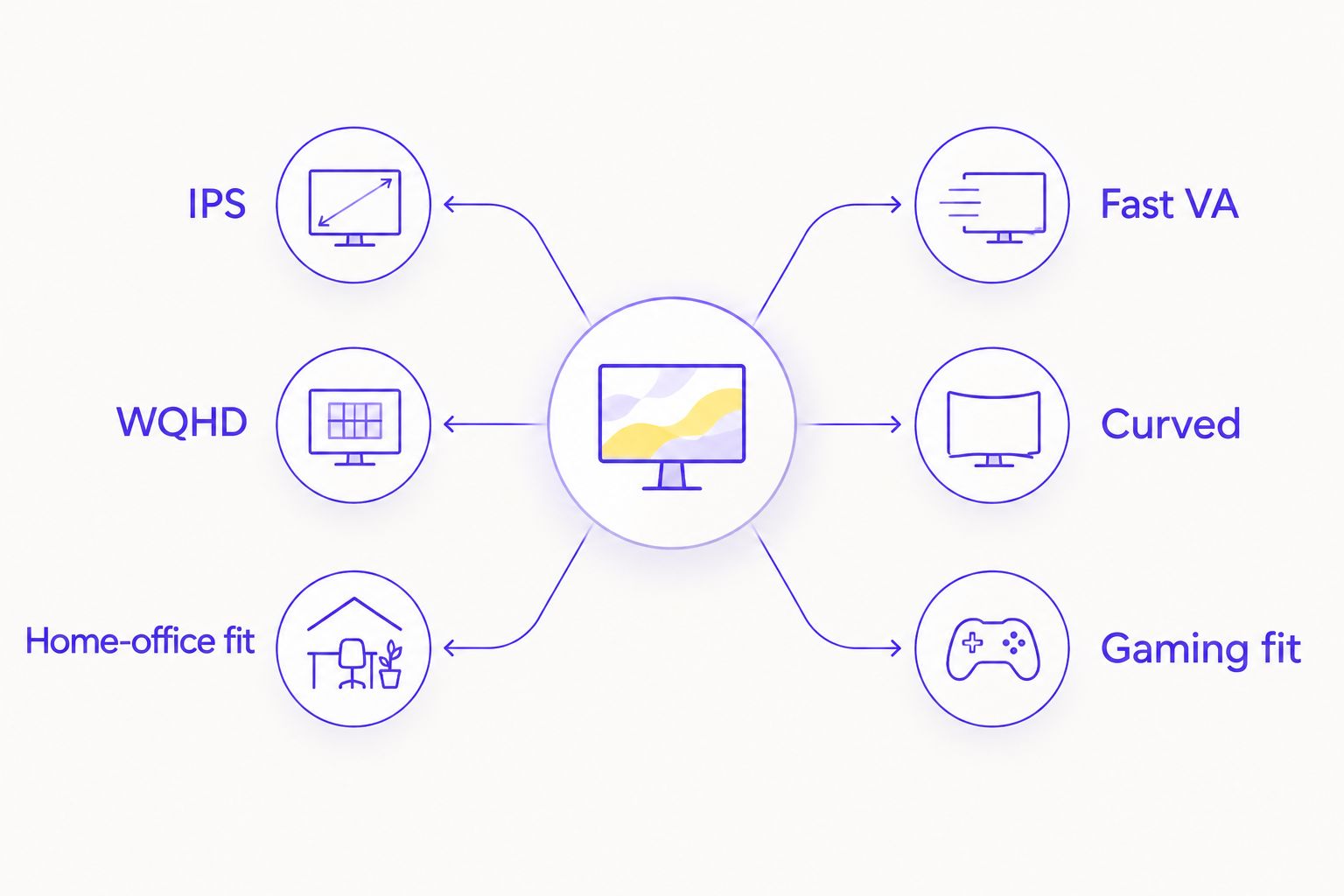
TWO PXP MODELS TO CHECK AGAINST THE COMPETING OFFER
Best for WQHD gaming and everyday work: PXP 27 QGG. Its documented combination is 27-inch IPS, 2560 × 1440 and 130Hz. Choose it when those specifications match your target; reject it when your refresh-rate requirement is higher.
Best for buyers specifically seeking a larger curved WQHD screen: PXP 32 PRO G. Its documented combination is 32-inch Fast VA, 180Hz and 1500R curvature. Choose it for that format, not as proof of better colour accuracy or sharper text.
The cards below identify the exact products being discussed. Compare the competing offer against these models rather than against a generic gaming-monitor category.
GAMING MONITOR SHORTLIST

27-inch IPS monitor with 2560 × 1440 resolution, 130Hz refresh rate and 5ms OD response time.
$149

32-inch Fast VA monitor with 2560 × 1440 resolution and 1500R curvature.
$249
SUPPORT TERMS NEED A MODEL-SPECIFIC COMPARISON
Award the support win only after comparing the written terms for the exact monitor. Do not transfer a desktop-PC warranty, delivery promotion or guarantee to a standalone display purchase.
Before placing a 2026 order, ask how dead pixels, arrival damage and faults are handled. Confirm the claim process, required documentation and responsibility for transporting a faulty monitor. Keep the answer with your invoice.
For a corporate or institutional order, use a separate procurement checklist. Request an itemised quotation, exact model identifiers, replacement procedures and delivery arrangements. Consumer gaming specifications do not answer those operational questions.
The same standard applies to both sellers. A headline warranty duration is not a complete account of coverage, exclusions or claim handling.
PRICING: COMPARE CHECKOUT WITH CHECKOUT, QUOTATION WITH QUOTATION
Compare like-for-like purchase formats in SGD. For a consumer order, inspect the exact monitor, included accessories and final checkout terms. For a corporate order, compare itemised written quotations.
Armaggeddon PC has a consumer e-commerce route and a distinct corporate/institutional enquiry route. Keep those decisions separate. Do not assume a consumer listing establishes bulk terms, installation services or institutional support.
When comparing an ElectronicsCrazy offer, use the purchase format stated in that offer. Match the model and scope before weighing the total payable amount. A quote including extra services is not equivalent to a monitor-only order.
For your 2026 shortlist, record these fields side by side:
- Exact model and revision.
- Included stand, power supply and cables.
- Tax and delivery treatment.
- Written warranty and return terms.
- Any separately quoted services.
A checkout establishes a particular order. An itemised quotation makes the scope explicit. Neither format replaces checking what you are buying.
FINAL VERDICT: PICK THE MONITOR FIRST
CHOOSE ARMAGGEDDON PC IF YOU WANT A NAMED PXP GAMING MONITOR
Winner for the PXP-focused gamer: Armaggeddon PC. Choose this route when the documented PXP specification matches your resolution, refresh-rate and screen-format requirements.
The PXP 27 QGG is the IPS WQHD option discussed here. The PXP 32 PRO G is the larger curved Fast VA option. Neither is a universal recommendation for every desk or workload.
CHOOSE ELECTRONICSCRAZY IF ITS OFFER MEETS YOUR SPECIALIST REQUIREMENT
Winner for the requirement-led buyer: ElectronicsCrazy, when its written offer confirms a feature your shortlisted alternative lacks. That includes an exact screen format, docking requirement or professional-display specification.
Reject the offer if the requirement remains unconfirmed. A conditional win must be earned by the model and terms, not assumed from the retailer name.
| Dimension | Winner |
|---|---|
| Named PXP gaming-monitor shortlist | Armaggeddon PC |
| Better physical fit | ElectronicsCrazy when its exact model fits better |
| Home-office suitability | Apply the same checks to both |
| Confirmed specialist capability | ElectronicsCrazy when its offer meets the unmet requirement |
| Panel selection | Model-level decision |
| Support and logistics | Compare written monitor-specific terms |
| Purchase format | Compare equivalent checkout orders or quotations |
FAQ
Is Armaggeddon better than ElectronicsCrazy for monitors?
Choose Armaggeddon PC when a named PXP monitor meets your requirements; choose ElectronicsCrazy when its written offer meets a requirement the alternative lacks. There is no retailer-wide winner established by these model specifications.
Which PXP monitor is better for gaming and office work?
The PXP 27 QGG is the documented IPS WQHD option in this comparison. It has a 27-inch screen, 2560 × 1440 resolution and a 130Hz refresh rate; confirm its connections and stand suitability for your desk.
Is the PXP 32 PRO G a curved monitor?
Yes, the PXP 32 PRO G is a 32-inch curved monitor with 1500R curvature. Its supplied specifications identify a Fast VA panel, 2560 × 1440 resolution and 180Hz refresh rate.
Does a higher refresh rate mean better image quality?
No, a higher refresh rate does not establish better colour accuracy, contrast or text clarity. Compare those properties separately from refresh rate and pixel-response claims.
Should I choose IPS or VA for a home-office monitor?
Choose the exact IPS or VA model that meets your viewing, text and connection requirements. The PXP 27 QGG uses IPS, while the curved PXP 32 PRO G uses Fast VA.
Can I assume a PC warranty covers a separately purchased monitor?
No, confirm the warranty for the exact monitor purchase. Request its coverage, exclusions, dead-pixel policy and claim process in writing.
How should a Singapore business compare monitor quotations in 2026?
Compare itemised SGD quotations with matching models and scope. Keep display specifications, included accessories, delivery arrangements and replacement procedures separate from consumer gaming claims.
ONE LAST THING
Test the connection path, not just the screen. Your computer, output port, adapter, cable and monitor input all participate in the display mode you can use.
Before completing a 2026 purchase, send the seller your exact computer model and intended connection. Request confirmation of the target resolution and refresh rate through that connection. This catches a mismatch that comparing headline specifications alone does not.