

Armaggeddon vs Challenger: which is better in 2026
Choose Armaggeddon PC if you want a custom-built gaming desktop with a specific CPU and GPU combination; choose Challenger if you want to compare finished products from multiple electronics brands in a physical shop. The deciding axis in 2026 is build configuration versus multi-brand retail shopping, not which company wins every category.
TL;DR
- Armaggeddon vs Challenger comes down to custom gaming PC configuration versus multi-brand electronics shopping.
- Armaggeddon PC is the better starting point for buyers choosing a desktop by CPU and GPU tier.
- Challenger suits buyers who want physical-store browsing and comparisons between finished products.
- Compare complete specifications, delivery arrangements and written support terms before choosing either seller.
Why this matters
A GAMING PC purchase and an electronics shopping trip are different jobs. A desktop buyer needs a matched CPU, graphics card, memory, storage and power supply. A general electronics buyer needs a convenient way to compare brands and product types.
For Singapore buyers in 2026, the useful question is straightforward: do you need control over the build, or do you need to inspect finished products? Start there. A familiar retailer name does not establish gaming performance, upgrade compatibility or service coverage.
This comparison separates those buying routes. It also keeps monitors, peripherals and corporate purchasing distinct from the desktop decision.
At a glance
| Dimension | Armaggeddon PC | Challenger |
|---|---|---|
| Best for | Buyers selecting custom-built or pre-configured gaming desktops | Buyers comparing finished electronics products across brands |
| Shopping experience | Product-focused online PC shopping | Physical-store browsing and multi-brand comparisons |
| Desktop configuration | Named CPU/GPU combinations and component categories | Compare the specifications of each finished system |
| Standout feature | Build-led selection, with Singapore SAME DAY DELIVERY as a stated service | Inspect products in person before choosing |
| Monitors and peripherals | Gaming monitors, keyboards, mice, headsets and other PC accessories | Multi-brand electronics and accessory shopping |
| Upgrade compatibility | Verify the exact motherboard, PSU and chassis | Verify the exact motherboard, PSU and chassis |
| Warranty and support | 5 Years Limited Warranty is a stated proof point; read its conditions | Read the warranty and service terms for the selected product |
| Pricing model | Product purchase with configuration-dependent totals | Product-by-product retail purchase |
Custom PC buyers have the clearer starting point
Armaggeddon PC is the better starting point for custom gaming PC buyers who choose by CPU and GPU tier. Its desktop range includes custom-built and pre-configured systems. The listed combinations give you a concrete way to narrow the shortlist before comparing the remaining components.
The catalogue includes Ryzen 7 7700 with RTX 5090, Ryzen 7 7800X3D with RTX 5080, and Ryzen 7 9700X with RX 9070 XT combinations. These names identify the principal processors. They do not establish the complete system specification or a measured frame rate.
For a 2026 desktop purchase, request the full configuration:
- CPU and graphics card model.
- Graphics card memory capacity.
- Motherboard model and chipset.
- RAM capacity, module arrangement and speed.
- SSD model and capacity.
- Power supply model and rated output.
- CPU cooler, chassis and operating system details.
The benefit is configuration-led selection. The limitation is that you still need to check every supporting component; a headline GPU cannot answer those questions.
Challenger is a sensible route when you have already chosen a finished system and want to examine that product. Its retail format is not, by itself, evidence of a better or worse desktop build. Choose the specialist route for configuration control; judge a finished retail PC by its exact specification.
Challenger wins for physical-store browsing
Challenger is the better fit when seeing products in person is part of your buying process. Its Singapore electronics-store format lets you browse across brands instead of beginning with a particular custom desktop configuration.
That matters for purchases you judge partly by handling or viewing. Keyboard layout, mouse shape, laptop size and monitor stand design are easier to assess when the product is physically present. Ask which exact models you can inspect before making a dedicated trip.
The advantage is direct comparison. The limitation is that a display model does not answer every technical question. A monitor on a shop floor still needs a specification check, and a desktop still needs a complete component list.
For example, inspect a keyboard's key spacing and layout, then check its connection options. Inspect a monitor's stand, then check its resolution, refresh rate and ports. Use the shop visit to answer physical questions, not to replace technical checks.
The custom-PC route suits buyers who already know the components they want. It is less useful than a store visit when your unresolved question is how a particular product feels in your hands.
Build-led selection wins when the GPU tier is already decided
A named GPU tier gives the desktop shortlist structure. If your requirement specifies RTX 5060, RTX 5070, RTX 5080 or RTX 5090, start with systems that identify that exact card rather than a generic gaming label.
The custom-PC catalogue also includes Radeon combinations, including RX 9070 XT and RX 9060 XT. That gives buyers a separate graphics-platform route. It does not establish a performance winner without the application, settings and complete configuration.
For your 2026 shortlist, write down the actual workload. Competitive gaming, video editing and office applications do not ask the same questions of a PC. Check the software's published requirements before selecting the processor tier.
The specialist buying route wins on relevance when your brief already names components. Challenger wins on convenience when your brief is a finished product category and you want to inspect different brands.
Do not turn GPU model names into promised frame rates. Game settings, resolution, CPU limits and memory configuration affect the result. Compare credible benchmarks for the intended workload, then confirm that the purchased system matches the benchmark configuration closely enough to make the comparison useful.
Challenger wins when brand comparison comes first
If your first question is which laptop brand, keyboard layout or finished desktop design to buy, Challenger's multi-brand retail format fits the task. You can organise the visit around competing products rather than around a custom build.
The advantage is the buying process: compare the form factor, controls and finish of the models you are considering. The disadvantage is that brand breadth does not settle suitability. A recognisable badge is not a substitute for the correct ports, memory capacity or service terms.
Keep your shortlist specific:
- For a laptop, check weight, keyboard layout and required connections.
- For a monitor, check desk fit, stand adjustment and display inputs.
- For a mouse, check grip comfort and button placement.
- For a desktop, check the complete configuration and expansion options.
The PC specialist also sells gaming laptops, monitors, components and peripherals. Its advantage in this comparison remains the build-focused desktop route, not an unsupported claim that every accessory is better.
Choose Challenger for comparing finished products across brands. Choose a build-led seller when the component brief matters more than the badge.
Monitor choice is a model-level decision, not a retailer win
Neither seller wins the monitor decision on its name alone. Compare the panel, resolution and refresh rate of the actual models. Then check whether your PC and connection can support the intended display mode.
Two catalogue examples show why a model-level comparison matters:
| Monitor | Best for | Confirmed specifications | Tradeoff to assess |
|---|---|---|---|
| PXP 27 QGG | Buyers seeking a 27-inch WQHD IPS option | 2560 × 1440 resolution, 130Hz refresh rate | Check whether the size and refresh rate match your games and desk |
| PXP 32 PRO G | Buyers seeking a larger curved WQHD display | 32-inch Fast VA panel, 2560 × 1440 resolution, 180Hz refresh rate | Check curved-screen preference, desk fit and panel behaviour |
The larger model offers more screen area and a higher listed refresh rate. Those differences do not prove better colour accuracy or clearer motion in every setting. Panel technology and response behaviour need separate assessment.
At Challenger, apply the same checks to the exact competing monitor. Compare like with like: resolution against resolution, panel against panel, and connection capability against connection capability.
A 2026 monitor decision should finish with your use case. Buy the screen that fits the workload and desk, not the seller name that feels more familiar.
Upgrade compatibility is a tie until the parts are checked
Neither buying route guarantees an easy upgrade. A custom-built label does not prove spare connectors or physical clearance. A finished branded desktop does not prove that upgrades are impossible.
Check the exact system before ordering:
- Motherboard: RAM slots, supported memory and expansion connections.
- Power supply: rated output, connectors and replacement requirements.
- Chassis: graphics-card clearance and cooling space.
- Storage: drive connections and mounting options.
- Firmware: processor support and update requirements.
The advantage of either system is only as useful as the parts you can verify. The drawback of either system is an unanswered compatibility question that becomes your problem after purchase.
Treat upgradeability as a system specification, not a seller reputation. If an upgrade is already planned, include it in the purchasing brief and ask for confirmation against the exact build.
Warranty length alone does not establish a support winner
Armaggeddon PC states a 5 Years Limited Warranty, a money-back guarantee, Singapore SAME DAY DELIVERY and FREE delivery with every PC purchase. These are relevant buying points. Read the applicable conditions rather than treating the labels as a complete service contract.
A limited warranty needs a clear scope. Confirm what it covers, how claims work and which exclusions apply. Do not assume that the same period or process covers desktops, individual components, monitors and peripherals.
For Challenger, examine the terms attached to the selected product. Separate retailer assistance from manufacturer warranty coverage. Confirm where the product goes for service and what documentation you need.
For either seller, ask:
- Who receives the support request?
- Which parts and labour are covered?
- What happens when a component fails?
- What delivery or collection arrangements apply?
- What are the guarantee's conditions?
No support winner follows from warranty duration alone. Keep written terms with the invoice and configuration record. Those documents matter more than a headline when a fault occurs.
Pricing models: configuration total versus retail product total
Both routes involve buying hardware, not choosing a software subscription. The custom-PC route centres on the selected build. The multi-brand retail route centres on the selected finished product.
A configuration-led purchase lets you evaluate component choices together. Its tradeoff is that a change to RAM, storage or another part changes the package being compared. A finished-product purchase gives you a defined model to assess, but you still need to confirm its precise specification and included items.
For a fair 2026 comparison, request totals in SGD against the same requirements. Check tax treatment, delivery arrangements, operating system inclusion and peripherals. Do not compare a desktop tower with a package that includes a screen and accessories.
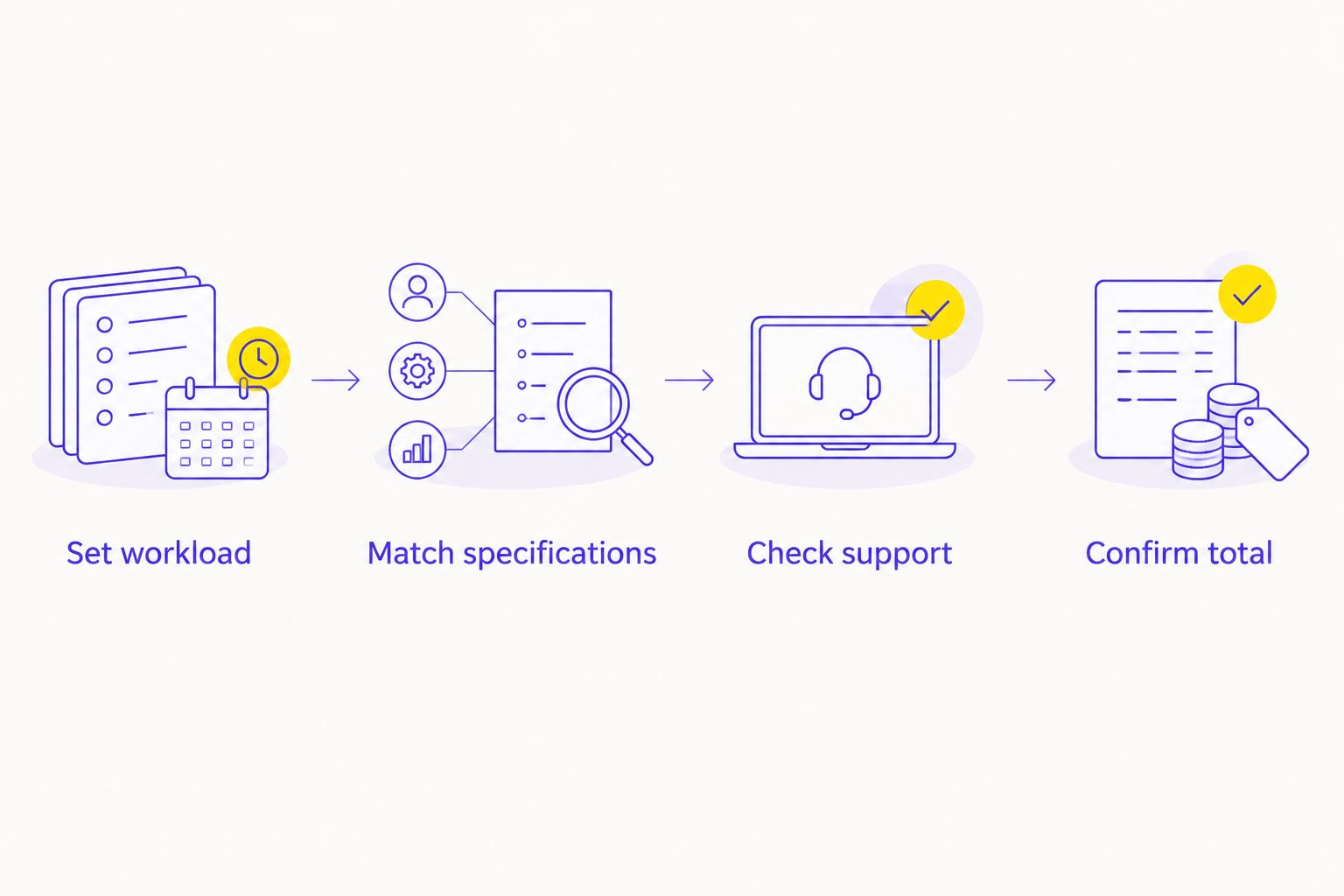
Use this sequence: Set workload. Match specifications. Check support. Confirm total. It keeps the retailer decision behind the hardware decision, where it belongs.
For corporate or institutional purchases, use GET A QUOTATION rather than a consumer gaming shortlist. Specify applications, required connections, deployment needs and support expectations. Keep the procurement brief separate from personal gaming preferences.
Final verdict: choose by the job you need done
Choose Armaggeddon PC for a component-led desktop purchase
Best for: the Singapore desktop buyer with a defined CPU, GPU and workload brief. Start here for custom-built or pre-configured GAMING PC selection. Check the full build and applicable delivery, warranty and guarantee conditions before ordering.
Choose Challenger for a multi-brand shop visit
Best for: the buyer comparing finished electronics products in person. Start here when handling the product or viewing competing models helps you decide. Check the selected model's specification and support terms before purchasing.
| Dimension | Winner |
|---|---|
| Custom desktop starting point | Custom-PC specialist |
| Physical-store browsing | Challenger |
| Component-led GPU selection | Custom-PC specialist |
| Finished-product brand comparison | Challenger |
| Monitor suitability | Model-level decision |
| Upgrade compatibility | Exact-system decision |
| Warranty and support | Written-terms decision |
| Purchase total | Matched-specification decision |
FAQ
Is Armaggeddon vs Challenger mainly a gaming PC comparison?
Armaggeddon vs Challenger is most useful as a comparison between component-led desktop buying and multi-brand retail shopping. For monitors and accessories, compare the actual models instead of declaring a retailer-wide winner.
Which seller should I choose for a custom gaming desktop?
Armaggeddon PC is the better starting point for a custom gaming desktop with a defined CPU and GPU brief. Confirm the motherboard, RAM, storage, power supply and cooling alongside the headline processors.
Is Challenger better if I want to see products before buying?
Challenger is the better fit for physical-store browsing across electronics brands. Ask which exact products you can inspect before making the trip.
Does the same graphics card mean two PCs perform identically?
No, the same graphics card does not make two complete PCs identical. CPU choice, memory configuration, cooling and workload settings also affect performance.
Should I choose a 130Hz or 180Hz monitor?
Choose between 130Hz and 180Hz by checking your games, PC performance and display preferences. The PXP 27 QGG lists 130Hz, while the larger curved PXP 32 PRO G lists 180Hz; panel type and desk fit remain separate decisions.
Does a longer warranty automatically mean better support?
No, warranty duration alone does not establish better support. Compare coverage, exclusions, claim handling and service arrangements for the exact product.
How do I compare the cost of a custom PC and a retail desktop?
Compare current SGD totals for matching specifications and included items. Check tax treatment, delivery arrangements, operating system inclusion and peripherals before treating the totals as equivalent.
One last thing
Save the complete component list before paying. A CPU/GPU headline is not a build record. Keep the exact configuration, invoice and written service terms together so you can identify what was supplied and what support applies.